
TypingMind Alternatives for iPhone and Android
TypingMind runs on phones as a web app you add to the home screen. If you want an app-store app instead, here are the options and how they compare.
- TypingMind works on iPhone and Android as a Progressive Web App: its documentation describes adding typingmind.com to the home screen from Safari or Chrome, with no app store download. If you want a native app from the App Store or Google Play that still uses your own API keys, alternatives include Oriveo, LobeHub and Chatbox.
- TypingMind has real strengths worth keeping in mind: a one-time license, a broad feature set including agents, plugins and knowledge bases, and the ability to run one prompt across several models at the same time.
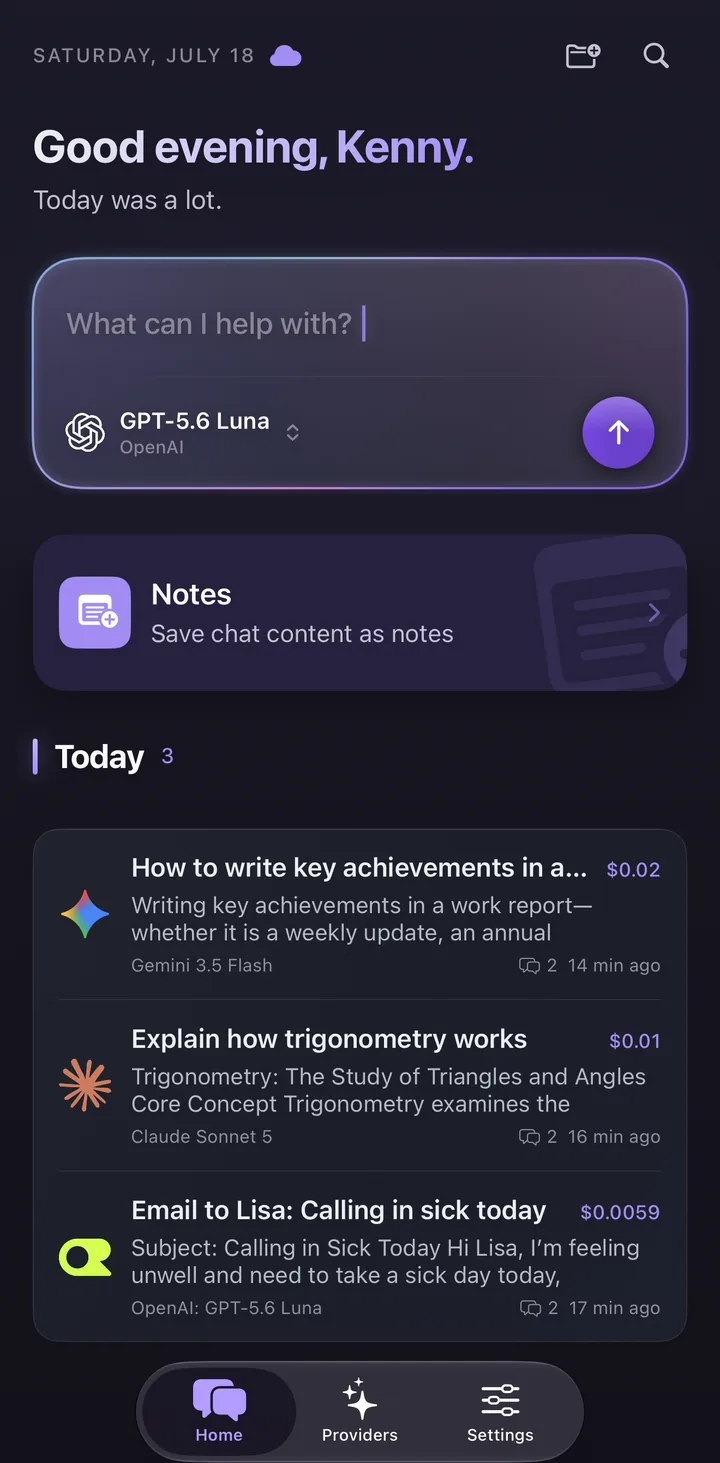
- Oriveo’s angle is native iPhone and Android apps plus web, 15 official providers, an estimated cost on every message, and a free tier that needs no key and no sign-in.
How TypingMind works on a phone today
TypingMind is a BYOK chat interface: you bring API keys from providers such as OpenAI, Anthropic or Google and chat through its interface. It runs at typingmind.com in any modern browser, and its documentation explains how to install it as a Progressive Web App (PWA) on any platform.
On iPhone, the documented method is to open typingmind.com in Safari, tap Share, then Add to Home Screen; the documentation notes that this works only from Safari on iOS. On Android, you open it in Chrome and choose Add to Home screen, or accept the install banner. In TypingMind’s own words, there is "no app store, no download required".
The installed PWA uses the same local storage as the browser. TypingMind’s documentation recommends enabling its cloud sync, by signing in with an email address, if you want data to persist across devices or survive a browser cache clear. That sync, TypingMind Cloud, is opt-in and comes with 50 MB of free storage by default.
What TypingMind does well
People look for alternatives for specific reasons, not because TypingMind is weak. Before switching, it is worth being clear about what it does well, because some of it is hard to find elsewhere.
- Pricing model: all three plans — Standard, Extended and Premium — are one-time purchases, and each license can be used on five devices.
- Multi-model responses: TypingMind can run the same prompt across several models simultaneously and show their answers for comparison, which is useful for evaluating models.
- Depth of features: AI agents, a prompt library, document uploads, knowledge-base connections such as files, GitHub, Google Drive and Notion, plugins including web search on higher plans, and voice input.
- Flexibility: its documentation covers local models through Ollama and other local AI setups, and there is a separate team edition that can be self-hosted.
- Opt-in sync: cloud sync is optional; without signing in, data stays in local browser storage.
Why some people want a native mobile app instead
A PWA is a reasonable way to use a web app on a phone, and for many people it is enough. The reasons people give for wanting an app-store app instead are practical rather than ideological.
An app-store app is installed and updated through the store, like every other app on the phone, and does not depend on which browser you used to install it. It can store its data independently of the browser’s storage, so clearing browser data does not affect it. And a native app is built for the phone’s own interface conventions rather than adapting a web layout to a small screen.
None of this makes a PWA wrong. If you already work mostly on a laptop and want occasional phone access, TypingMind’s PWA may suit you fine. If the phone is where you use AI most, a native app is worth trying.
Mobile BYOK options compared
The table covers three alternatives with iPhone and Android apps, alongside TypingMind, using only what each product’s official website, documentation or store listing states as of 28 September 2026. Where we did not verify a detail for this article, the table says so rather than guessing. Products change quickly, so check the official pages before deciding.
| TypingMind | Oriveo | LobeHub | Chatbox | |
|---|---|---|---|---|
| iPhone | PWA via Safari (per its docs) | Native App Store app | Native App Store app | iOS app listed on its official site |
| Android | PWA via Chrome (per its docs) | Native Google Play app | Native Google Play app | Android app listed on its official site |
| Web | Yes | Yes | Yes | Yes |
| Use your own API keys | Yes | Yes, 15 official providers plus custom endpoints | Yes, including on its Free plan | Yes, or its hosted service |
| Cloud sync | Opt-in TypingMind Cloud | Optional, on paid plans | Global Cloud Sync on all plans | Not verified for this article |
| Pricing model | One-time license, three plans | Free with your own keys; optional paid plans | Free plan plus paid tiers | Not verified for this article |
| One prompt answered by several models at once | Yes | No; models are switched one at a time | Not verified for this article | Not verified for this article |
Oriveo: native apps, estimated cost per message
Oriveo is a multi-model chat app with native apps for iPhone and Android and a web app, all sharing the same account and conversation history when you turn on sync. It connects to 15 official providers — OpenAI, Anthropic, Google Gemini, xAI Grok, DeepSeek, Mistral, Qwen, Kimi, MiniMax, Z.ai, Groq, Together AI, Fireworks AI, OpenRouter and SiliconFlow — plus any OpenAI-compatible endpoint through Relay, for 700+ models in one picker.
With your own keys, each provider bills you directly at its published price and Oriveo adds no markup. Every message shows an estimated cost at the provider’s list price, on every tier, so you can see the effect of switching models as you go. Chats are stored on your device by default, and cloud sync is optional.
If you do not have a key yet, Oriveo Free gives you a short list of free models with quota limits, without an API key and without signing in — useful for trying the app on your phone before connecting anything.
An honest note on model comparison
If the feature you use most in TypingMind is running one prompt across several models at the same time, Oriveo is not a like-for-like replacement. Oriveo switches models sequentially: you can change model partway through a conversation and continue with the new one, but it does not answer the same prompt with several models at once.
What it offers instead is Cross-check, a sequential second look. It re-runs an answer you already have through one second model that you pick, then displays the original answer and the second opinion together. Cross-check runs on a provider you connected with your own API key, and it is not available on the Oriveo Free tier.
How to choose
A short checklist helps more than a feature matrix. Decide which of these matter to you, then try the one or two apps that match on your own phone for a week.
- Install type: are you happy with a home-screen PWA, or do you want an app-store app?
- Where your keys and chats live: on the device, in browser storage, or synced to an account — and whether sync is optional.
- Pricing shape: one-time license, subscription, or free with your own keys.
- Model workflow: sequential switching, or simultaneous answers from several models.
- Cost visibility: whether you can see an estimated cost per message before the provider’s invoice arrives.
- Breadth: which providers and custom endpoints the app supports today.
Moving your setup across
Switching BYOK apps is mostly about keys. Your API keys belong to your provider accounts, not to the app, so you can create a new key for the new app and keep the old one active until you have decided. Creating a separate key per app also lets you see each app’s usage separately in the provider’s dashboard.
Conversation history is harder to move between apps, because each stores it in its own format. Many people simply start fresh in the new app and keep the old one available for reference until they no longer need it.
Frequently Asked Questions
Does TypingMind have an iPhone or Android app?
What is a good TypingMind alternative for iPhone?
What is a good TypingMind alternative for Android?
What does TypingMind do better than Oriveo?
Can I use the same API keys in TypingMind and Oriveo?
Related reads
Try a native BYOK app on your phone
Oriveo runs natively on iPhone and Android and on the web, with 15 official providers, an estimated cost on every message, and Oriveo Free to start without a key.