
BYOK AI Client for OpenAI, Claude, Gemini, and OpenRouter
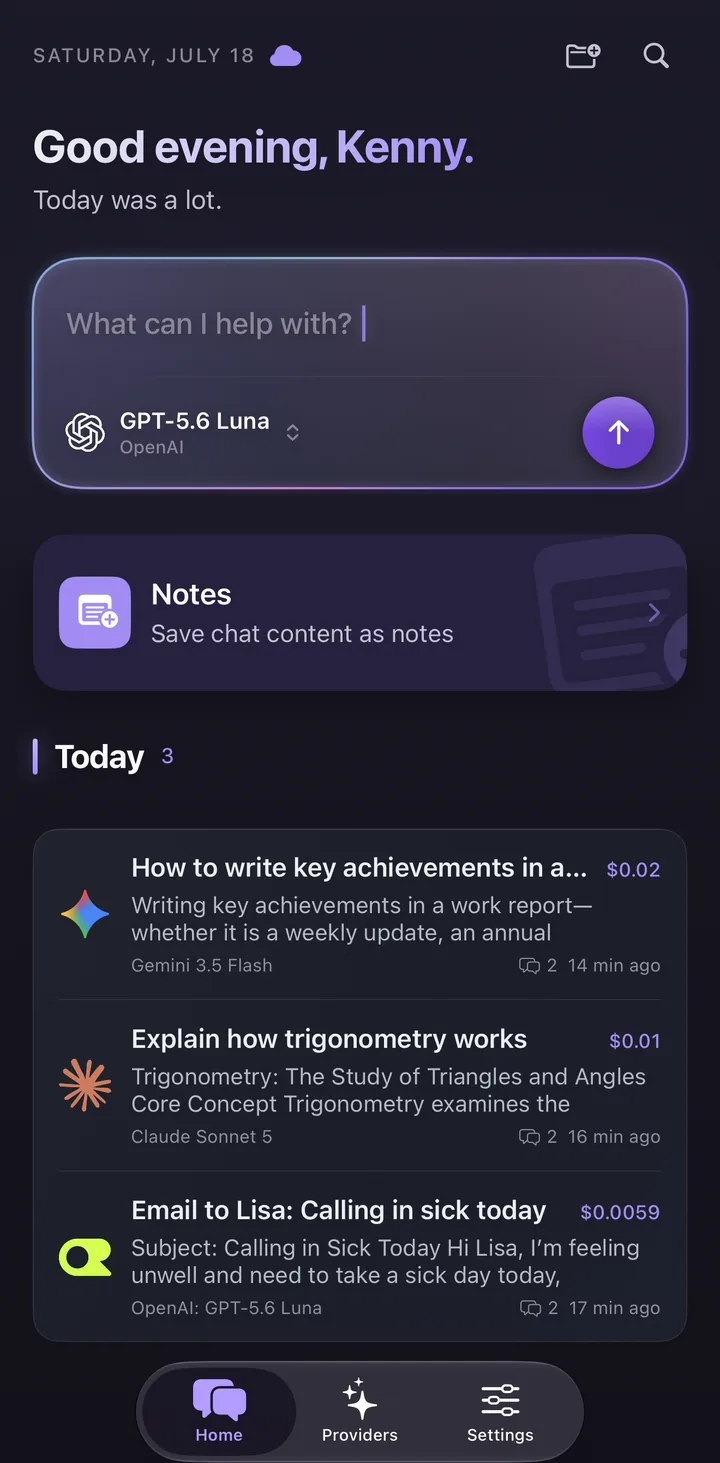
Oriveo is a BYOK AI client for people who want to use their own API keys across OpenAI, Claude, Gemini, OpenRouter, and more, with chats stored on your device by default and cost transparency.
- Bring your own API keys instead of paying for overlapping subscriptions.
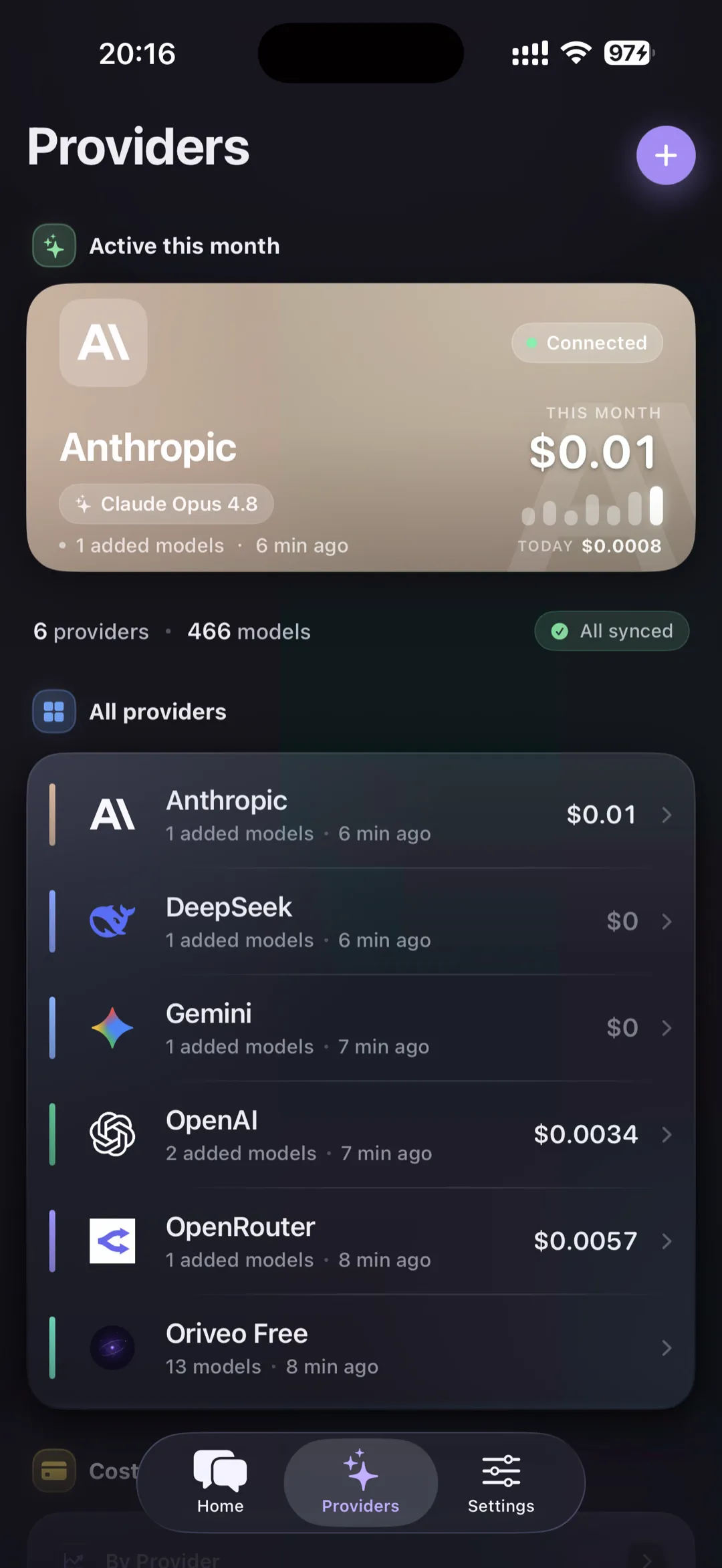
- Use one app for OpenAI, Claude, Gemini, OpenRouter, and other providers.
- Stay close to your real usage costs with built-in cost tracking; chats are stored on your device by default.
What a BYOK AI client actually means
BYOK stands for Bring Your Own Key. Instead of paying one platform for bundled access, you connect your own provider API keys and keep direct control over billing, provider choice, and model selection.
A strong BYOK client should make that flexibility usable, not messy. That means easier provider setup, better switching between models, and clearer visibility into what your conversations cost.
Why people switch to BYOK workflows
The main reasons are usually control, flexibility, and cost. People want to use GPT for one task, Claude for another, and Gemini for a third without bouncing between separate apps and plans.
- You pay providers directly and keep clearer ownership over your setup.
- You can pick the best model for each task instead of living inside one subscription silo.
- You can compare cost and quality across providers instead of guessing.
What to look for in a serious BYOK AI client
Not every BYOK app is designed for daily use across devices. The good ones remove friction instead of adding configuration debt.
- Cross-device experience across web, iPhone, and Android.
- Real-time cost visibility and budget awareness.
- Chats and API keys stored on your device by default, with sync as an option.
- Support for both direct providers and aggregators such as OpenRouter.
How Oriveo handles API keys and requests
API-key safety depends on both storage and the request path. Oriveo keeps provider keys on your own device or in your browser rather than storing them as account records. Native iPhone and Android requests connect to providers directly. Some web BYOK, Relay, or compatibility paths transmit the key only to complete the selected request through Oriveo routing; the real-time pass-through does not retain the provider key or BYOK chat content as an account record.
Cloud sync is optional and is not the same as key storage. Synced conversation content is stored in readable form in your private account area so another device can receive it; it is not end-to-end encrypted. Exported backups are not encrypted either, except for API keys: if you choose to include them, they are encrypted with a password you set.
- Create separate provider keys for Oriveo when the provider supports multiple keys.
- Use provider-side spending limits and review provider activity logs.
- Revoke and replace a key immediately if it is pasted into an untrusted page, message, or support request.
- Do not treat a consumer ChatGPT, Claude, or Gemini subscription as API credit; API billing is separate.
Common app questions
Is Oriveo only for technical users?
Do I need separate subscriptions for every model app?
Can a BYOK client still be simple to use?
Related reads
From the blog
Start with one key, then grow into a multi-model setup
Open Oriveo on the web or download the app to connect your first provider and build a cleaner BYOK workflow.
No API key yet? Oriveo Free lets you start without one.