
What Is Multi-Model AI? Multi-Model vs Multimodal AI
Multi-model AI means many models in one app. Multimodal AI means one model handling text, images and audio. Here is the difference and which one you need.
- Multimodal AI is about what one model can perceive — text, images, audio, video.
- Multi-model AI is about how many models one app can reach, and who bills you for them.
- They are different layers, not competing options: a multi-model client can select a multimodal model.
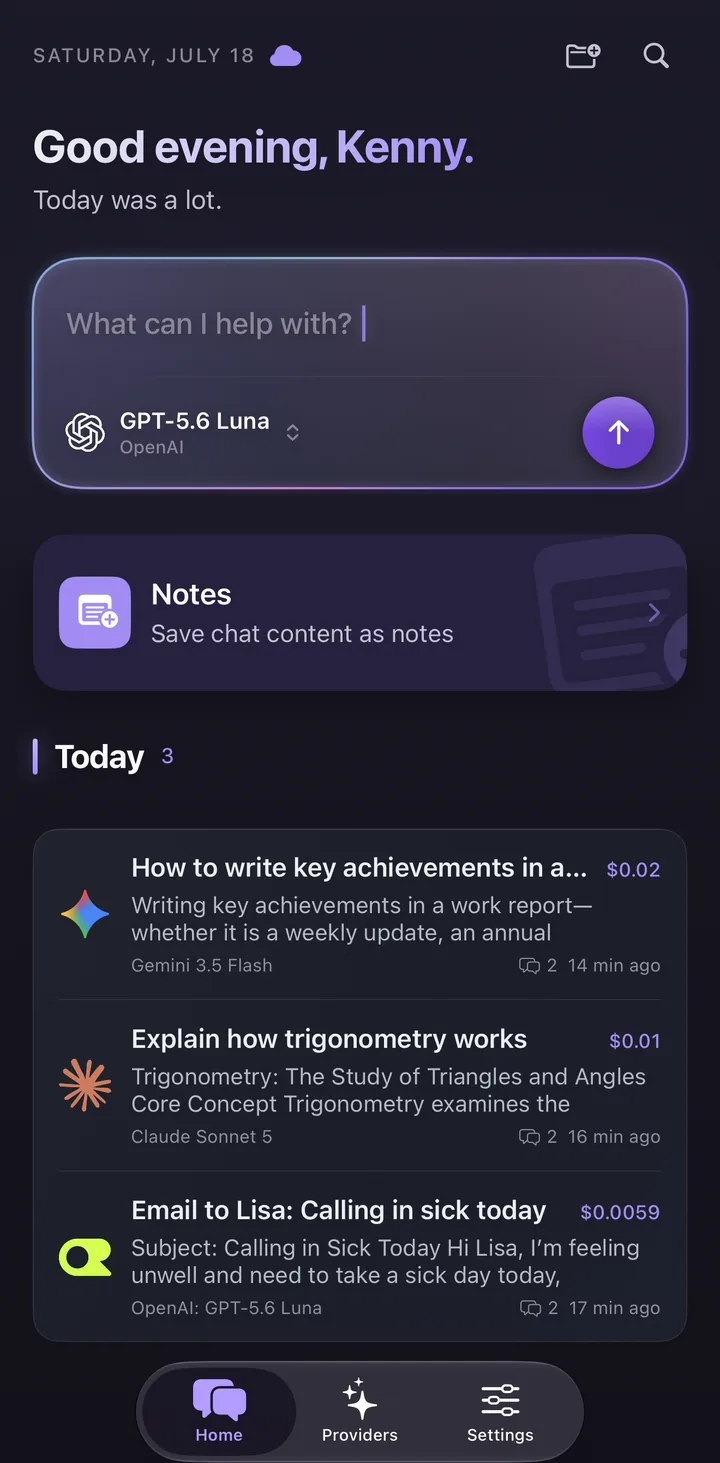
Multi-model AI and multimodal AI are not the same thing
Search for “multi model AI” and the results split into two unrelated topics. Half of them explain how a single model can read an image, listen to audio and reply in text. The other half list apps that let you talk to GPT, Claude and Gemini from one place. Both sets are correct. They are answering different questions, because two terms that look almost identical are being used interchangeably.
The distinction is simple once you see it. Multimodal refers to the modalities a single model handles: text, images, audio, video. Multi-model refers to the number of models a product can reach: one interface, many models from many vendors. One term describes what a model can perceive; the other describes how much choice you have.
The difference is practical, not academic. If you are trying to understand a research paper or a model card, you almost certainly want multimodal. If you are trying to choose an app to install, you almost certainly want multi-model.
| Question | Multimodal AI | Multi-model AI |
|---|---|---|
| What varies | The input and output formats one model handles | The number of models one app can reach |
| Unit of measurement | One model, several modalities | Many models, one interface |
| Typical question | Can it read this screenshot? | Can I switch from GPT to Claude here? |
| Where you meet the term | Model cards, provider docs, research papers | App reviews, client comparisons, pricing pages |
| What you are choosing | A capability of the model you call | A client or workspace you use every day |
What multimodal AI actually means
A multimodal model accepts more than one kind of input, and sometimes produces more than one kind of output. Photograph a whiteboard and ask for the action items. Paste a chart and ask what changed. Speak instead of typing. The modality is simply the format — text, image, audio, video — and a multimodal model is one built to handle several of them inside a single system rather than bolting a separate transcription or OCR step onto a text-only model.
Most frontier models from OpenAI, Anthropic and Google are multimodal to some degree today, but the exact combinations differ per model and change with every release. Vision input is now common; audio input, image generation and video understanding are far less uniform. Because the details move quickly, the provider’s own model documentation is the only reliable source for which modalities a specific model version supports. Any article — including this one — is a snapshot.
Note what being multimodal does not tell you: anything about choice. A multimodal model is still one model from one vendor. If that vendor has an outage, changes its prices, or is overtaken by a competitor next month, the fact that its model can read images does not help you move.
What multi-model AI actually means
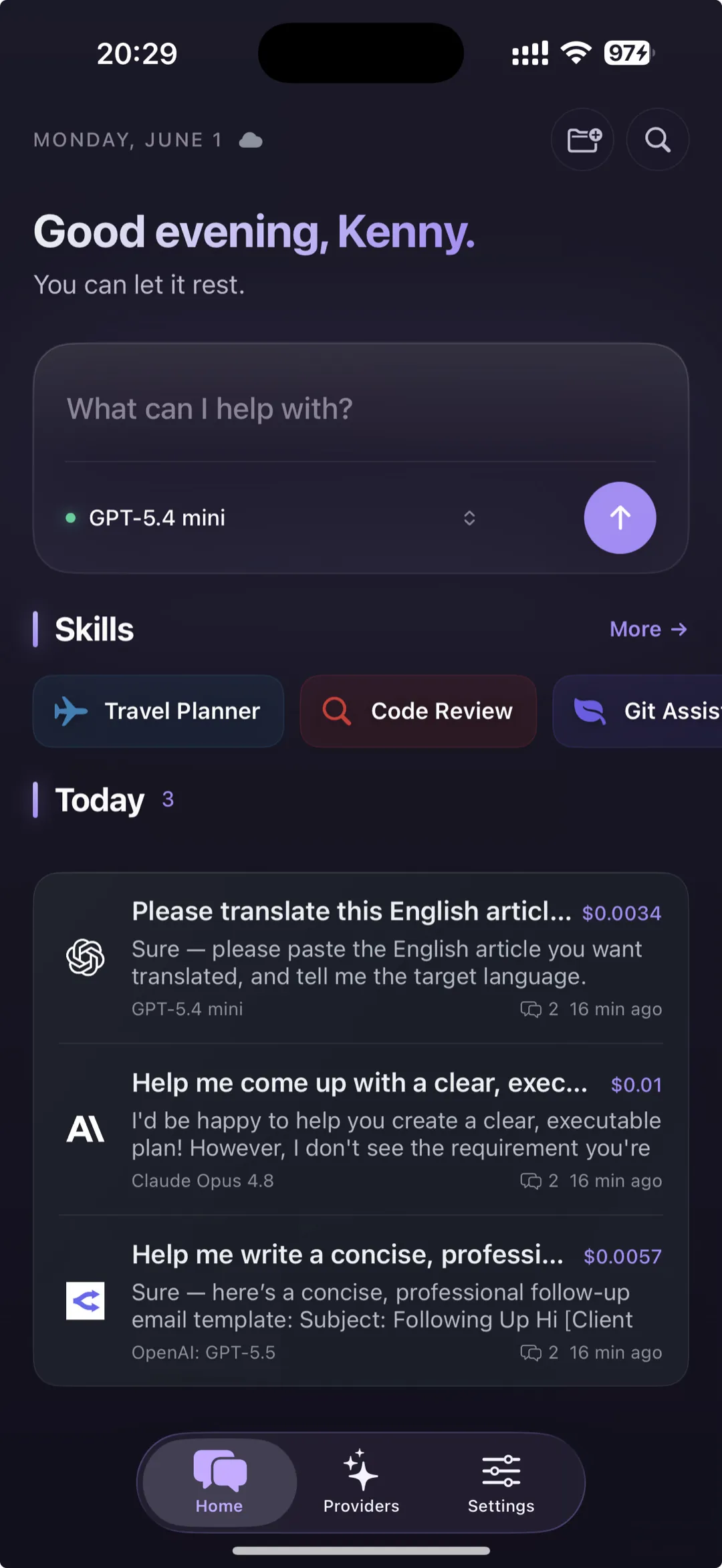
Multi-model AI is a product shape, not a model capability. A multi-model app puts many models behind one interface: one chat window, one history, one place to switch between GPT, Claude, Gemini, DeepSeek and the rest. The models themselves are unchanged — you are still calling each vendor’s API — but you stop maintaining a separate app, tab, login and subscription for every vendor you want to use.
This matters because model leadership rotates. The model that drafts best is often not the model that writes the best code, and neither is necessarily the cheapest for bulk summarising. Inside a single-vendor app that trade-off is invisible. Inside a multi-model app it is a dropdown, and switching costs you nothing but a click.
Oriveo is one example of this shape: 15 official providers — OpenAI, Anthropic (Claude), Google Gemini, xAI Grok, DeepSeek, Mistral, Qwen, Kimi, MiniMax, Z.ai, Groq, Together AI, Fireworks AI, OpenRouter and SiliconFlow — plus any OpenAI-compatible endpoint you bring through a custom relay. That is 700+ models in one picker, with native iPhone and Android apps alongside the web app so the same history follows you between devices.
- One interface for many vendors, instead of one browser tab per vendor.
- One searchable history, instead of fragments scattered across products.
- Freedom to change model when quality, price or availability changes.
- A single place to see an estimated cost for each message and conversation.
The most useful thing two models do: check each other
The obvious argument for a multi-model app is cost — send routine work to a cheaper model and save the expensive one for hard problems. The more interesting argument is verification. When an answer actually matters, the fastest sanity check available is a different model, built by a different lab on a different data mixture, looking at the same question.
In Oriveo this is a named feature rather than a habit. Cross-check re-runs an answer you already have through one second model that you pick, then displays the original answer and the second opinion together for comparison. It is a sequential second look rather than a parallel query: model switching is sequential, only one second model is used per run, and Oriveo never sends one prompt to several models at once. The result, with both sources attached, can be saved as a note.
Two limits are worth stating plainly, because they decide who can use it. Cross-check runs on a provider you connected with your own API key, and it is not available on the Oriveo Free tier. The free tier exists so you can start chatting with no key and no sign-in; Cross-check is one of the things you gain once you connect a provider of your own.
This is the honest answer to “why would I need more than one model?”. Not because switching is fun, but because disagreement between two independent models is a strong signal that an answer deserves a closer look, and agreement is a weak but real reassurance. A single-vendor app cannot give you either signal.
Why the two terms get confused
The words are one hyphen and two letters apart, and both entered mainstream use within roughly the same eighteen months. Search engines treat them as near-identical strings, so a query for one routinely returns pages about the other. Marketing copy blurs it further: an app that offers several multimodal models can honestly describe itself with either word, and frequently uses both in the same paragraph.
There is a third meaning adding to the noise. In machine learning, “multi-model” has an older, narrower sense: an ensemble that combines several models’ outputs into a single prediction. That is different again from a client that lets a person choose a model per message. The ensemble decides for you; the client lets you decide.
- Multimodal — one model, several input and output formats.
- Multi-model, product sense — one app, several models you choose between.
- Multi-model, ensemble sense — several models combined automatically into one output.
- Model routing — an app that picks the model for you; a specific behaviour, not a synonym for multi-model.
Which one do you actually need?
Start from the task rather than the term. The two questions have different answers and different places to verify them.
In practice, most people who search for “multi model ai” after living inside one chat app for a while want the product, not the capability. The trigger is usually specific: a second subscription that is hard to justify, a model that got worse at something it used to do well, or a bill that arrived without warning.
- You need multimodal if your work involves non-text inputs — screenshots, scanned documents, diagrams, photos, recordings. Verify it on the specific model version, not on the app, because modality support belongs to the model.
- You need multi-model if your work spans different kinds of task, if you are cost-sensitive, or if you would rather not have a single vendor be a single point of failure.
- You probably need both, and they combine cleanly: a multi-model client can select a multimodal model. The terms describe different layers, so they were never alternatives.
What to look for in a multi-model AI client
Once you know you want the product, the shortlist criteria are consistent across almost every review. They are worth checking in this order, because the second one quietly determines several of the others.
Billing shape is where products differ most sharply. BYOK — bring your own key — means you create API keys with the providers you already use, and each provider bills your own account directly at its published list price. The alternative is a platform that resells access, either as a subscription or as credits. Reselling is faster to start with; the trade-off is that the conversion between credits and tokens is defined by the platform rather than by the provider’s price list.
- Model coverage — how many vendors, and whether the connections are official provider APIs or a single aggregated middle layer.
- Billing shape — platform subscription, prepaid platform credits, or your own provider keys.
- Cost visibility — whether the app shows an estimated cost per message as you go, or only a total after the fact.
- Platform coverage — whether real native mobile apps exist, or only a website.
- Data handling — where chats are stored, whether cloud sync is optional, and where your API keys live.
- Working surface — attachments, web search, image generation, reusable presets and saved notes, if your work needs more than plain chat.
- Exit cost — whether you can export your conversations in a portable format such as Markdown if you decide to leave.
Three ways to get model access, compared
Most disagreement in multi-model app reviews comes down to which access model the reviewer preferred. Seeing the three next to each other makes the reviews easier to read.
Oriveo is built around the third row, with two hosted routes for people who do not want to start there. With BYOK you connect your own keys across 15 official providers plus a custom OpenAI-compatible relay endpoint, and Oriveo adds no markup to provider usage. Oriveo AI is the hosted route: it needs a signed-in account, includes 3 requests each week, and usage beyond that draws down a prepaid AI Balance at each model’s official list price rather than at a platform-specific credit rate. Oriveo Free is a separate thing again — no sign-in, a daily quota, running a curated set of OpenRouter free-tier models so you can try the workflow before connecting anything of your own.
Whichever route you use, an estimated cost is attached to each message: calculated from the provider’s list price and, once the answer finishes, from the tokens actually used. It is an estimate, and the provider’s own invoice is always the final word. The same conversation history is available on iPhone, Android and the web. Deeper analytics — provider-level usage breakdowns and budget alerts — belong to the paid Pro plan; the per-message estimate itself does not.
| Access model | How you pay | Trade-off |
|---|---|---|
| Platform subscription | A flat monthly fee to the app vendor | Predictable; you use the models the platform selected, within the quota it sets |
| Prepaid platform credits | You buy credits, the platform deducts per message | Flexible model choice; the credit-to-token conversion is defined by the platform |
| BYOK — your own API keys | Each provider bills your own account at its list price | Clearest price signal and most control; you set up provider accounts first |
A short glossary
Five terms cover most of the confusion around this topic. Keeping them apart makes product comparisons much faster to read.
- Multimodal AI — one model that handles more than one input or output format.
- Multi-model AI — one app that reaches many models from many vendors.
- BYOK — bring your own key: you supply provider API keys and each provider bills you directly.
- Aggregator — a service such as OpenRouter that exposes many vendors’ models behind one API and one key.
- Model routing — automatic per-request model selection made by the product rather than by you.
Frequently Asked Questions
Is multi-model AI the same as multimodal AI?
Can an app be multi-model and multimodal at the same time?
Do I need an API key to use a multi-model AI app?
Does using several models cost more than one subscription?
Can a multi-model app answer the same prompt with two models at once?
Is multi-model AI the same as an AI ensemble?
Related reads
Try a multi-model workflow yourself
Open Oriveo on the web or install the iPhone or Android app to use 700+ models from 15 official providers in one place — with your own keys, a hosted balance, or the no-sign-in free tier.