
Multi-Model AI Client for Web, iPhone, and Android
Oriveo is a multi-model AI client — also called a multi AI client — for 15 official providers including OpenAI, Claude, Gemini, DeepSeek, and OpenRouter. Bring your own API keys, track costs in real time, and keep chats on your device by default across web, iPhone, and Android.
- One AI client for every major model — bring your own API keys, no per-seat subscription.
- See the estimated cost of every conversation in real time, not a monthly surprise.
- Chats stay on your device by default on web, iPhone, and Android; cross-device sync is optional.
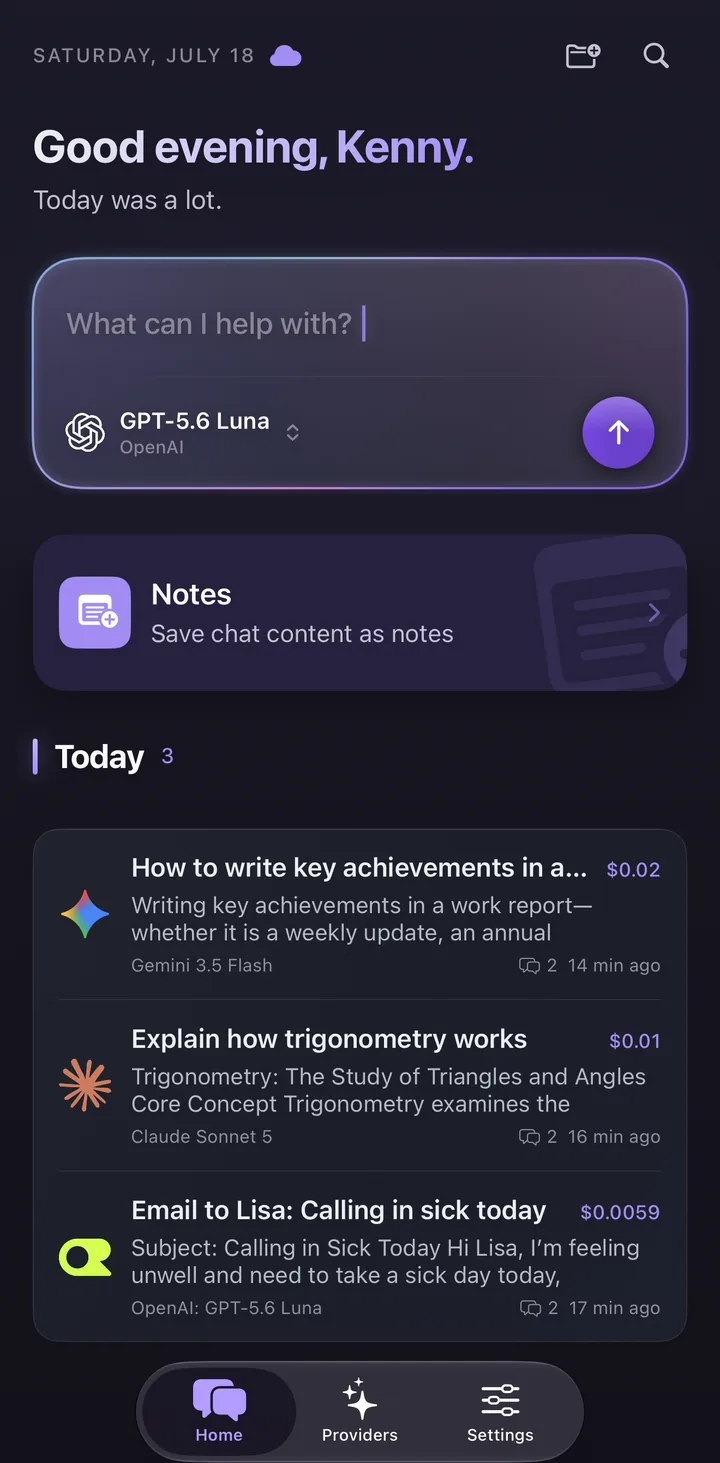
What is a multi-model AI client?
A multi-model AI client is one app that lets you chat with many AI models — like GPT, Claude, and Gemini — from a single interface, instead of opening a separate site or subscription for each one.
Oriveo takes the BYOK (bring your own key) approach: you paste API keys from the providers you already use and keep provider billing on your own accounts. Native apps connect to providers directly; the web app uses a real-time pass-through endpoint that does not retain BYOK chat content. Oriveo adds no markup to provider usage.
Why use one multi AI client instead of many tabs
Switching between ChatGPT, Claude, and Gemini in separate tabs means scattered history, duplicated subscriptions, and no clear view of what you are spending. A single multi-model client fixes that.
- Use OpenAI, Anthropic, Google, DeepSeek, OpenRouter and more from one place.
- Switch models within a conversation without leaving the app.
- Keep one searchable history instead of fragments across providers.
- Track spend per conversation so model choice is an informed decision.
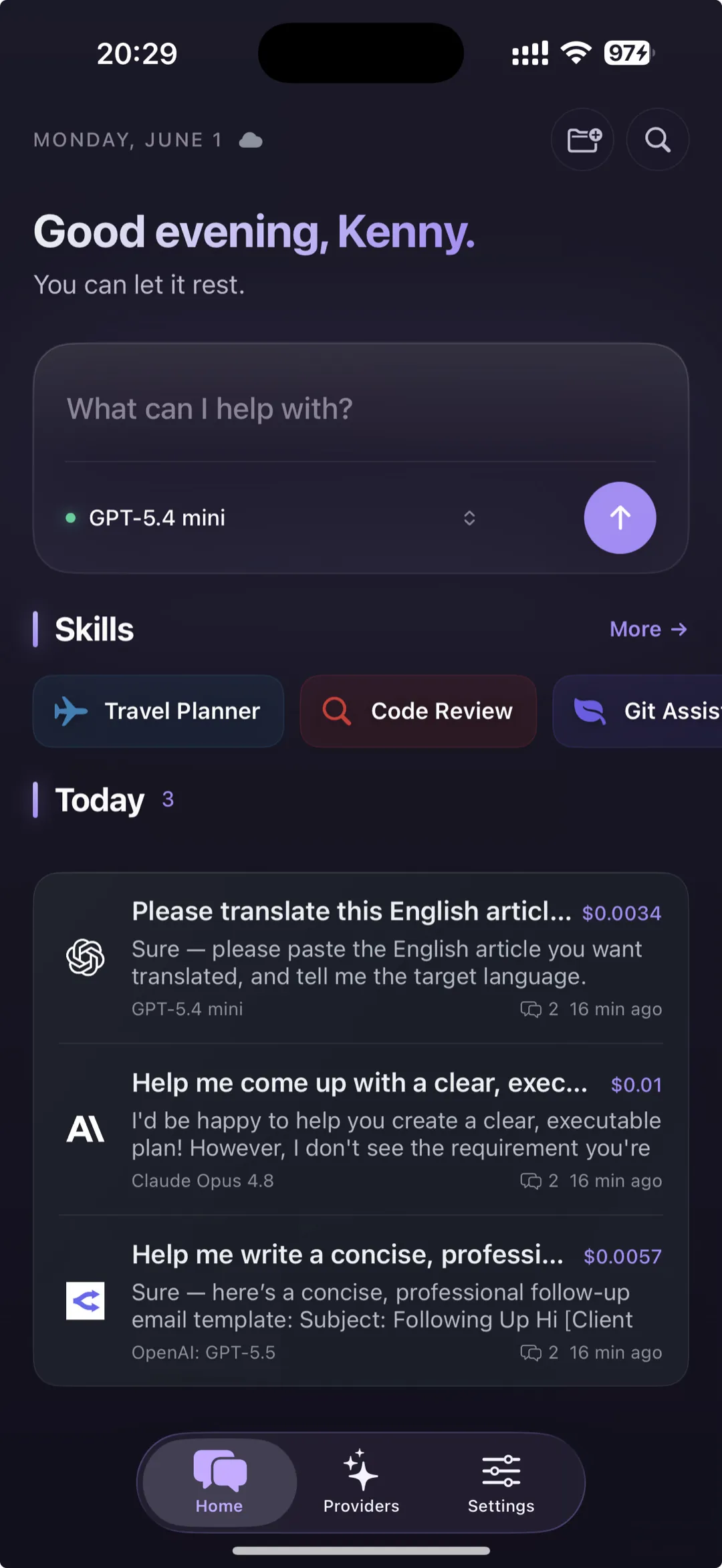
BYOK, cost tracking, and on-device storage by design
Oriveo is built around three ideas that set it apart from most AI clients: your keys stay yours, your costs are always visible, and your conversations are stored on your device by default.
| What you want | How Oriveo handles it |
|---|---|
| One app for many models | BYOK across 15 official providers plus a custom relay endpoint |
| Know what each chat costs | Real-time, message-level cost tracking — no markup |
| Control where chats live | Stored on your device by default; cross-device cloud sync is optional |
| Use it everywhere | Native iPhone and Android apps plus the web app |
Try it without an API key
Not ready to bring a key yet? Oriveo Free includes a built-in free tier, so you can try a multi-model workflow before connecting your own providers.
Common app questions
What is the best multi-model AI client?
Can one app use GPT, Claude, and Gemini together?
Is a multi-model AI client free?
Is a multi-model AI client the same as an LLM client?
Related reads
From the blog
One AI client for every model
Open the web app or download Oriveo to use OpenAI, Claude, Gemini, OpenRouter and more in a single BYOK client.
No API key yet? Oriveo Free lets you start without one.