
Use Your Gemini API Key in an App, No Code
Get a Gemini API key in Google AI Studio, understand the free and paid tiers, and use Gemini in a chat app on iPhone, Android or the web — no code.
- To use Gemini with your own key and no code, create an API key in Google AI Studio (aistudio.google.com/apikey) and paste it into a BYOK chat app such as Oriveo. Requests are then billed — or counted against free-tier limits — on the Google Cloud project the key belongs to.
- The Gemini API has a free tier for many models, including the Flash family, but free-tier content may be used by Google to improve its products, and some models, such as Gemini 3.1 Pro Preview, are paid only.
- On the paid tier, as of 28 September 2026, Gemini 3.8 Flash costs $0.75 per million input tokens and $3.75 per million output tokens — well under one cent for a typical chat message, estimated.
How the Gemini API differs from the Gemini app
Google offers Gemini in two ways. The Gemini app, with its free plan and paid Google AI plans, is a consumer product. The Gemini API is a developer product: you create an API key, and software — including a chat app that accepts your own key — sends requests to Gemini models on your behalf.
The API is managed in Google AI Studio and backed by a Google Cloud project. Google’s documentation states that every Gemini API key is associated with a Google Cloud project, and that the project is where billing, collaborators and permissions are managed. Rate limits are applied per project, not per key. Paid API usage is enabled by linking a Cloud billing account to that project, so do not assume a consumer Google AI plan pays for API requests.
Step 1: create a Gemini API key
Creating a key takes a minute and does not require a credit card for the free tier. If you are new to AI Studio, it creates a default Google Cloud project and an API key for you after you accept the terms of service.
- Go to aistudio.google.com/apikey and sign in with your Google account.
- Accept the terms of service if asked; new users get a default project and key automatically.
- Create an API key, or copy the one that was created, and note which project it belongs to.
- Store the key somewhere safe, such as a password manager. Gemini keys typically begin with "AIza".
Step 2: decide between the free and paid tiers
This is the decision that matters most with Gemini, because the two tiers differ in more than price. The pricing page lists, for each model, whether the free tier is "Free of charge" or "Not available", and it also states how your content is treated on each tier.
On the free tier, Google’s pricing page says content is used to improve its products; on the paid tier, it says content is not used to improve its products. If you plan to paste anything personal or confidential, that difference is a reason to link billing even if your usage would fit within free limits.
Rate limits also differ. A project without billing is on the free tier. Linking an active billing account moves it to Tier 1, and higher tiers follow from cumulative spend over time. Limits vary by model, and Google notes they are shown in AI Studio and update automatically as your tier changes.
| Free tier | Paid tier (billing linked) | |
|---|---|---|
| Cost per token | None, for models marked "Free of charge" | Published per-token prices |
| Model availability | Many models, including Flash; some Pro previews not available | All listed models |
| Content use, per Google’s pricing page | Used to improve Google’s products | Not used to improve Google’s products |
| Rate limits | Free-tier limits per project | Tier 1 and higher, per project |
What Gemini costs on the paid tier
The table shows Google’s published paid-tier prices for three current models as of 28 September 2026, for prompts up to 200,000 tokens, with an estimated cost for a typical chat message of 2,000 input tokens and 600 output tokens. Note the dated pricing on Gemini 3.8 Flash: Google lists $0.75 input and $3.75 output through 31 December 2026, and $1.50 input and $7.50 output from 1 January 2027.
For Gemini 3.8 Flash the arithmetic is 2,000 × $0.75 / 1,000,000 + 600 × $3.75 / 1,000,000 = $0.00375 — under half a cent. Longer threads cost more per message because earlier turns are resent as input, and Google’s invoice is the final amount.
| Model | Input (USD / 1M tokens) | Output (USD / 1M tokens) | Free tier | Estimated cost per typical message |
|---|---|---|---|---|
| Gemini 2.5 Flash-Lite | 0.10 | 0.40 | Free of charge | about $0.0004 |
| Gemini 3.8 Flash | 0.75 (1.50 from 1 January 2027) | 3.75 (7.50 from 1 January 2027) | Free of charge | about $0.004 |
| Gemini 3.1 Pro Preview | 2.00 | 12.00 | Not available | about $0.011 |
Step 3: add the key in Oriveo
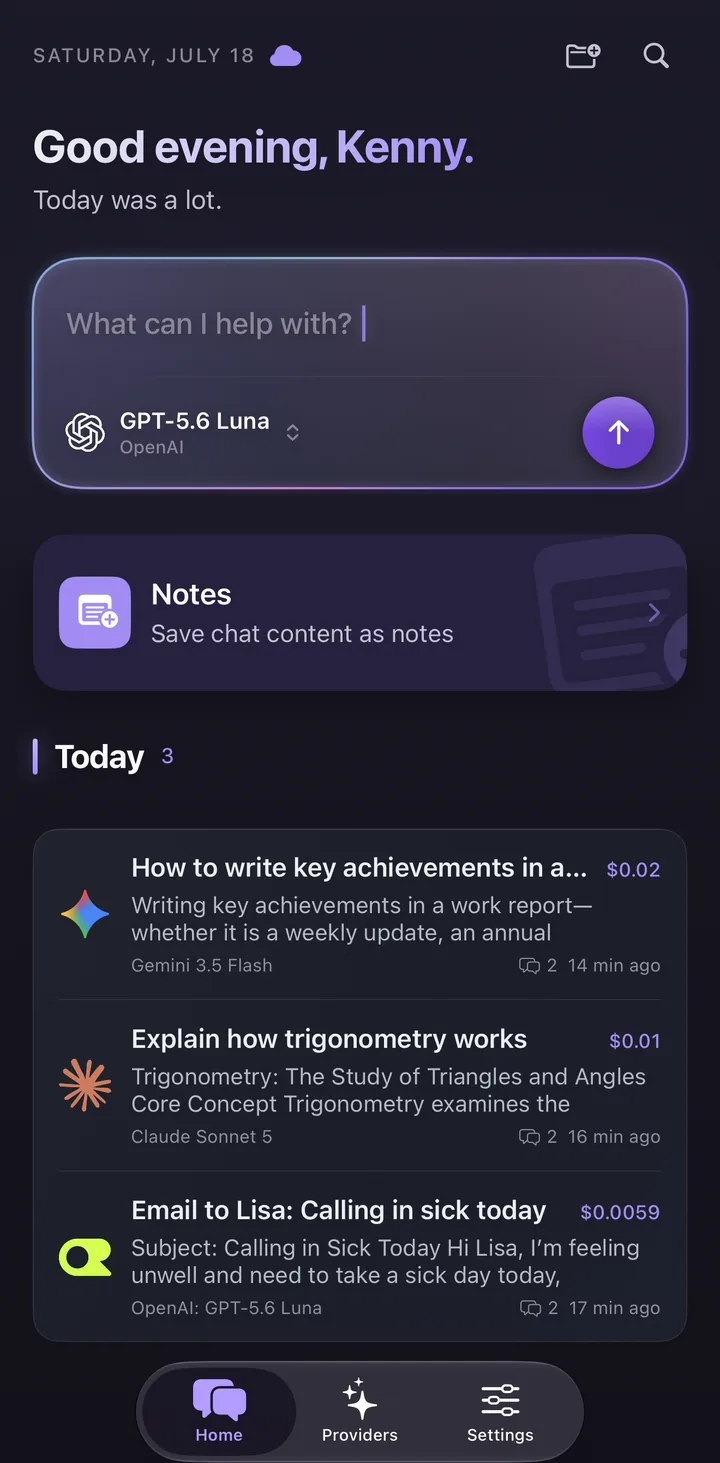
Oriveo is a multi-model chat app for iPhone, Android and the web that uses your own keys. Google Gemini is one of its 15 official providers, under Direct AI Providers. The labels below are what the app shows in English.
When you continue, Oriveo checks the key by asking Google for the models it can access, then syncs that list. A key that Google rejects is reported straight away, so you can fix it before chatting.
| Step | iPhone | Android | Web |
|---|---|---|---|
| Open the provider list | Providers tab | Providers tab | Providers in the sidebar |
| Start setup | Add Provider | Add Provider | Add Provider |
| Choose the provider | Google Gemini, under Direct AI Providers | Google Gemini, under Direct AI Providers | Google Gemini, under Direct AI Providers |
| Paste the key | API key field under "Connect Google Gemini" | API key field under "Connect Google Gemini" | Key field; "Get your key at Google Gemini" links to AI Studio |
| Confirm | Continue | Continue | Continue |
Step 4: choose a model and chat
Once connected, Gemini models appear in the model picker. Flash models are fast and inexpensive and cover most everyday chat; Pro models are for harder reasoning and longer analysis. If your key is on the free tier, stick to models the pricing page marks as free of charge, since paid-only models will return an error without billing.
You can switch to another model mid-conversation, including a model from a different provider you have connected, and keep going in the same thread. Each message shows an estimated cost at Google’s published price; on the free tier, remember that the real charge for free-of-charge models is zero and the limit is the rate limit instead.
Common errors and what they mean
Gemini errors are usually specific enough to point at the cause.
- "API key not valid": the key was copied incompletely, deleted, or restricted. Copy it again from AI Studio or create a new one.
- Rate limit or resource exhausted: you have hit your project’s per-minute or per-day limit for that model. Wait, switch model, or link billing for higher limits.
- Model not available on your tier: some models are paid only. Link billing to the project or pick a free-of-charge model.
- Several keys hitting limits together: limits are per project, so keys in the same project share them.
Keeping your key safe
A Gemini key can spend money once billing is linked, and it can use up your free quota even before that. Oriveo keeps provider keys on your device or in your browser rather than as account records. The iPhone and Android apps send requests to Google directly; the web app uses a real-time pass-through endpoint that does not retain the key or BYOK chat content. Oriveo adds no markup to Google’s prices.
Use a dedicated project or key for your chat app, review usage in AI Studio and the Cloud console, and delete any key that has been exposed.
Frequently Asked Questions
Is the Gemini API free?
Where do I get a Gemini API key?
Does my Google AI Pro subscription cover Gemini API usage?
How much does Gemini cost with my own key?
Can I use a Gemini API key on iPhone and Android?
Related reads
Use Gemini with your own key
Add your Gemini key to Oriveo on iPhone, Android or the web, switch between Gemini and 700+ other models, and see an estimated cost on every message.