
How to Use Multiple AI Models in One App
Three ways to use multiple AI models in one app: start with no account, use managed models, or bring your own API keys — plus switching, syncing and cost.
- You do not need five tabs and five subscriptions to reach five models.
- There are three ways into a multi-model app: no account at all, managed models, or your own provider API keys.
- Switching is sequential — one model at a time — and every message carries an estimated cost.
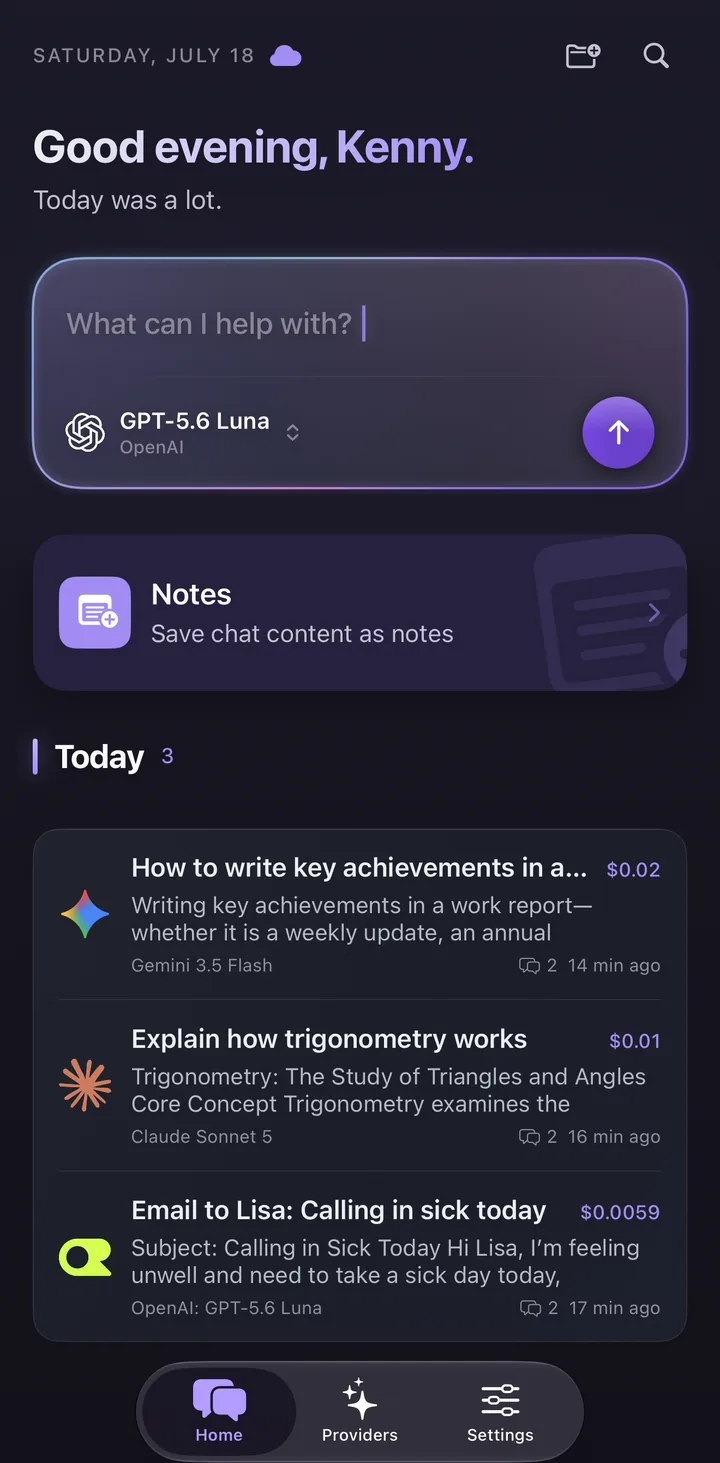
Why people end up with five AI tabs open
It rarely starts as a decision. You sign up for one assistant, then a colleague shows you a second one that writes better code, then a third that is cheaper for bulk summarising, and within a few months you have four logins, two subscriptions and a habit of copying half-finished drafts between browser tabs. Nothing about that is unusual. Model leadership rotates every few months, and no single vendor has stayed ahead at everything for long.
The cost of that habit is not just money. Your history ends up scattered across products that cannot search each other. Comparing two answers means pasting one into the other window. And because each product bills separately, the total you spend on AI in a month is something you can only reconstruct from credit card statements.
The fix is a multi-model app: one interface that can reach models from many vendors, with one history and one place to see what you are spending. This guide covers three ways to get there, in the order that makes sense for most people — starting with the one that needs nothing from you at all.
Three ways to get multiple models in one place
Multi-model apps differ mainly in who holds the relationship with the model provider. That single choice determines what you need before your first message, who invoices you, and how visible the price of each answer is. There are three practical routes, and they are not mutually exclusive — the same app can offer all three, and you can move between them without losing your chats.
Read the table below as a decision aid rather than a ranking. The right route depends entirely on what you already have. If you have never created a provider account, route one gets you chatting in seconds. If you already keep an API key in a password manager, route three costs you the least per message.
| Route | What you need to start | Who bills the model usage | Best for |
|---|---|---|---|
| Oriveo Free | Nothing — no account, no card, no API key | Nobody. A daily quota is included in the tier | Trying the workflow before committing to anything |
| Managed models (Oriveo AI) | A signed-in account | A prepaid balance, charged at each model’s official list price | People who want many vendors without opening provider accounts |
| Your own API keys (BYOK) | An API key from each provider you want to use | Each provider invoices your own account directly | People who already have provider accounts, or want the lowest per-message price |
Option A — start with no account at all
The fastest way to find out whether a multi-model workflow suits you is to use one without signing up for anything. Oriveo Free is a hosted free tier: open the app on the web, iPhone or Android and start typing. There is no account to create, no card to enter and no API key to paste. A daily quota applies, and it resets each day.
Be clear-eyed about what this tier is for. It runs a curated set of free-tier models drawn from the OpenRouter catalogue, and that catalogue changes as models are added and retired, so the exact list is not fixed. It is designed to let you try the workflow — the model picker, the chat history, saving an answer as a note — before you connect anything of your own. It is not a route to the frontier models, and some features that depend on a provider account are not available on it.
That trade is worth making on purpose. Most people cannot tell whether they want a multi-model app until they have used one for an afternoon, and this removes every reason not to try. When the quota or the model list starts to limit you, the next two routes are both a few taps away, and your existing conversations stay where they are.
- No sign-in, no card, no API key — the first message works immediately.
- A daily quota that resets, so the tier is best suited to trying things out.
- The model list is curated and changes over time; it is not a fixed catalogue.
- Available on the web app and on the native iPhone and Android apps.
Option B — use managed models
The second route removes the provider paperwork without removing model choice. Oriveo AI is a paid hosted service that appears as a built-in provider alongside anything you connect yourself. You sign in, pick a model, and send a message — there are no provider accounts to open and no keys to manage. Nine major brands are represented, with more than thirty models between them, and the catalogue is maintained centrally as models are launched and retired.
Signing in includes 3 requests a week, which reset weekly and work on any model in the managed catalogue rather than only on the cheap ones. Usage beyond that is drawn from a prepaid AI Balance, charged at each model’s official list price. No markup is added on top of that list price, which is the part worth checking against any platform you compare this with: credit systems usually do not publish the conversion between a credit and a token.
This is the route for people who want breadth without administration. You get many vendors in one picker, one balance instead of several invoices, and the same per-message cost estimate you would see with your own keys. What you give up, relative to route three, is the direct provider relationship — you are buying through one balance instead of holding an account with each vendor.
Option C — bring your own API keys
BYOK — bring your own key — means you create an API key with each provider you want to use and paste it into the app. Every request then goes to that provider on your own account, and that provider invoices you directly at its published list price. Oriveo supports 15 official providers this way: OpenAI, Anthropic (Claude), Google Gemini, xAI Grok, DeepSeek, Mistral, Qwen, Kimi, MiniMax, Z.ai, Groq, Together AI, Fireworks AI, OpenRouter and SiliconFlow — plus any OpenAI-compatible endpoint you add as a custom relay. Together those providers put 700+ models in one picker.
Getting a key is the same short process at every provider: create an account on the provider’s developer console, add a payment method, generate a key, and copy it once — most consoles show a key only at creation time. In the app you add a provider, paste the key, and the model list for that provider loads. Keys are stored on your own device and are not uploaded to Oriveo’s servers. Adding one provider is enough to start; you can add the rest later.
The reason this route is last in this guide, rather than first, is that it is the one route with a prerequisite. For a developer who already has three keys in a password manager it is the cheapest and most transparent option available — Oriveo adds no markup at all, so you pay each provider exactly what its price list says. For someone who has never seen a developer console, it is a wall. Start at route A, come here when the key stops feeling like a chore.
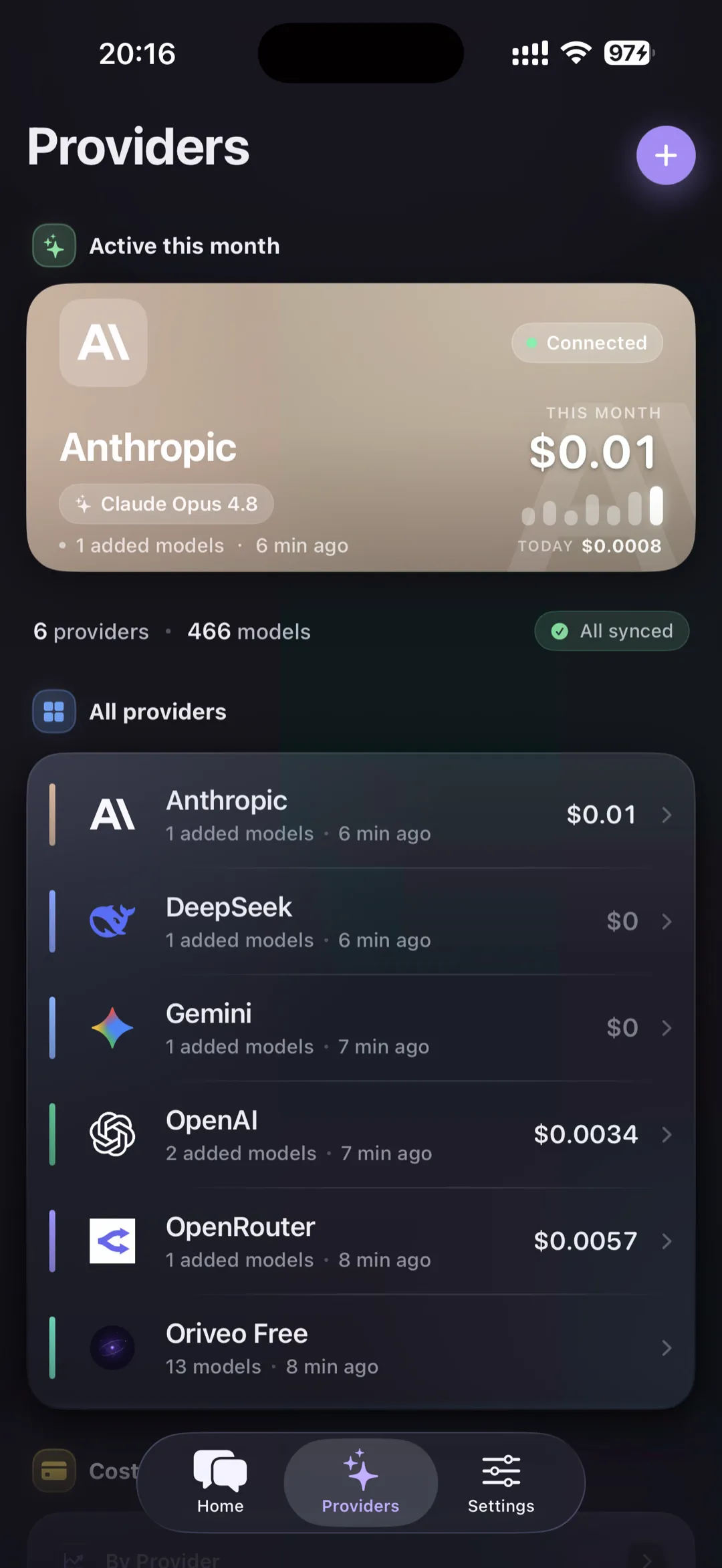
Step by step: your first multi-model chat
Whichever route you picked, the first conversation looks the same. The steps below take a few minutes end to end, and none of them are irreversible — you can delete a provider, clear a chat, or sign out at any point.
One thing to try deliberately on the first day: ask the same question of two different models in two conversations, on a task you know well enough to grade. That is the fastest way to build an instinct for which model to reach for, and it is the whole reason to have more than one.
- Install the iPhone or Android app, or open the web app in a browser — the same account and the same history work on all three.
- Pick your route: start chatting immediately on the free tier, sign in for managed models, or add a provider and paste an API key.
- Open the model picker and choose a model. Models are grouped by provider, so the vendor is always visible.
- Send a message. The answer streams back, and an estimated cost is attached to it once the answer finishes.
- Save anything worth keeping as a note — the note records which model wrote it and which conversation it came from.
- Start a second conversation with a different model and compare. Folders, tags and full-text search keep the two findable later.
Switching models mid-conversation
You do not have to decide on a model before you start. Change the model from the picker and the next message in the same conversation goes to the new model, with the conversation so far as its context. A common pattern is to draft with a fast, inexpensive model, then switch to a stronger one for the final pass — you keep the thread, the attachments and the history, and only the model changes.
Be aware of what this does to the bill. Each provider charges for the whole conversation you resend as context, so a long thread costs more per message than a short one regardless of which model you switch to. Starting a fresh conversation for a genuinely new topic is the simplest cost control there is, and it usually improves answers too.
It is worth being precise about how switching works here, because products differ. Model switching in Oriveo is sequential: one model answers at a time. Oriveo does not show side-by-side answers to the same prompt, and never sends one prompt to several models at once. If comparing two answers to the same question in one screen is a requirement for you, check that specific behaviour before you choose any app — several products do offer it, and this one does not.
Getting a second opinion on an answer
The sequential design does have a purpose-built feature for verification. Cross-check takes an answer you already have and re-runs it through one second model that you pick, then displays the original answer and the second opinion together so you can compare them. It is a sequential second look rather than a parallel query, and only one second model is used per run. The result, with both sources attached, can be saved as a note.
Two limits decide who can use it, and they are worth stating plainly. Cross-check runs on a provider you connected with your own API key, and it is not available on the Oriveo Free tier. In other words, it is one of the things you gain by taking route C, not something the no-account tier can do.
Used well, this is the strongest argument for having more than one model at all. Two models built by different labs on different data disagreeing about a factual claim is a reliable signal that the claim needs checking. Agreement is weaker evidence, but it is still more than one model asserting something confidently on its own.
Keeping your history across devices
Chats are stored on your device by default. That means the app opens and your history is readable without waiting on a network round trip, and it means the default state of your conversations is local rather than hosted. Notes work the same way: they are unlimited on your device and cost nothing.
Cross-device sync is the part that belongs to the paid plans. Pro adds real-time sync of chats and notes across up to five devices, and Lifetime carries the same sync across unlimited devices. Both come with 20 GB of sync storage and a 50 MB limit per individual file. That is what makes the iPhone, Android and web apps feel like one product rather than three copies. The paid plans also lift the limits on Skills, folders and pinned chats.
One thing the paid plans deliberately do not include is AI usage. Pro and Lifetime include no model credits, no managed balance and no provider subscription — they are software features. Whichever of the three routes you use for models, you pay for that separately, which is why the price of a plan and the price of your usage never get mixed together.
Watching what it costs
Every message shows an estimated cost, calculated from the provider’s published token pricing and the tokens actually used, the moment the answer finishes. That estimate appears on every tier, not only on paid plans. It is what turns "which model should I use" from a taste question into an arithmetic one: when you can see that a routine summarising task costs a fraction of a cent on one model and noticeably more on another, the choice makes itself.
Treat the number as a steering instrument rather than a ledger. It is an estimate built from published prices and reported token counts; your provider’s invoice is the final word, and providers apply their own rounding, minimums and occasional promotional rates. If the two disagree, the invoice wins.
Deeper analysis is a paid feature. Usage Insights — the breakdown by provider and model, monthly trends, and budget alerts — is part of Pro and Lifetime. The per-message estimate itself is not gated, so the everyday feedback loop works on any tier, including the no-account one.
Moving between the three routes later
The three routes are not a ladder you climb once. They coexist in the same app, and the choice is per message rather than per account: you can hold your own OpenAI key, keep a managed balance for the vendors you have not signed up with, and still fall back to the no-account tier on a device where you have not signed in. The picker shows all of them together, grouped by provider.
Because the routes share one history, changing your mind is cheap. Adding an API key later does not migrate or rewrite the conversations you already had; they stay searchable in the same list. Removing a provider removes its models from the picker and nothing else. If you decide to leave entirely, notes and conversations export as Markdown, which stays readable in any editor.
That is the practical answer to using multiple AI models in one app. Pick the route that matches what you have today, use it long enough to learn which model suits which task, and change route when the constraint changes rather than when a plan tells you to.
Frequently Asked Questions
Do I need an API key to use multiple AI models in one app?
Can I send one question to several models at the same time?
Can I change model in the middle of a conversation?
Does using several models cost more than one subscription?
Where are my chats stored, and do they sync between devices?
Which providers and models can I connect?
Does this work on a phone, or only in a browser?
Related reads
Use several models from one chat window
Open Oriveo on the web or install the iPhone or Android app: start with no account at all, sign in for managed models, or connect your own keys across 15 official providers and 700+ models.