
Best Multi-Model AI Platforms in 2026: 10 Compared
Ten multi-model AI platforms compared on pricing, BYOK access, native apps and free tiers — every figure read off official pages on 24 July 2026.
- Ten products compared on the four things that actually differ: model coverage, who bills you, which platforms exist, and what the free tier really allows.
- Every price, plan name and platform claim below was read off the vendor’s own public pages on 24 July 2026 and is quoted with that date attached.
- Where a public page did not answer a question, this article says so instead of filling the gap with a guess.
What counts as a multi-model AI platform
A multi-model AI platform is any product that lets you reach models from more than one lab through a single interface. That definition is deliberately wide, because the products competing for the term look nothing alike: some are hosted subscriptions you log into, some are apps you install and point at your own API keys, and one of them is really a routing layer that other products are built on top of.
The shape matters more than the feature list, because it decides who bills you and what happens when a model’s price changes. On a hosted subscription platform you pay the platform, and the platform decides how its credits convert into tokens. On a bring-your-own-key client you pay each provider directly at its published list price, and the software is either free or sold separately from the usage. On routing infrastructure you top up a balance that many different clients can spend.
Everything below is organised around that split, and around five questions that reliably separate these products once the marketing copy is stripped out.
- Model coverage — how many labs, and whether the connections are official provider APIs or a single aggregated middle layer.
- Billing shape — platform subscription, prepaid platform credits, or your own provider keys billed at list price.
- Platform coverage — a website, an installable desktop build, a progressive web app, or apps published in the App Store and Google Play.
- Free tier honesty — whether the free plan is a real working tier or a trial, and which models it can actually reach.
- Cost visibility — whether you can see what a message cost while you work, or only find out at the end of the billing period.
| Shape | How you reach models | Who bills you | Products of this shape here |
|---|---|---|---|
| Hosted subscription platform | The vendor’s own accounts with each lab | The platform, monthly or yearly | Poe, Monica, Aymo AI, LobeHub |
| Bring-your-own-key client | API keys you create yourself | Each provider, at its published list price | Chatbox AI, Cherry Studio, TypingMind, Msty, Oriveo |
| Routing infrastructure | One API and one balance covering many labs | A prepaid credit balance you top up | OpenRouter |
How we compared
This is a documentation comparison, not a benchmark. On 24 July 2026 we read each vendor’s own public pages — pricing page, downloads page, product docs, App Store and Google Play listings, and public API endpoints where one exists — and recorded what those pages actually say. No answer quality was scored, because answer quality belongs to the underlying models rather than to the products listed here, and it changes with every model release.
Prices are quoted in the US dollar figures the vendors publish, and every one carries the date it was read. That matters more than usual right now: three of these products were showing promotional pricing on 24 July 2026, so a number checked next month may not match. Poe’s own page adds the standard caveat that prices are shown in US dollars and that a final price may vary with regional taxes and currency conversion; treat the whole table the same way.
One disclosure up front. Oriveo is our product, and it is listed first because this is our site. We have tried to make its entry as checkable as the other nine, including the part where it does something less well than most of this list.
- Checked: plan names and prices, free-tier limits as published, BYOK availability per plan, published platforms, licence terms, and any model count the vendor states.
- Not checked: answer quality, latency, support responsiveness, or anything requiring a paid account.
- Not obtainable from public pages: in-app purchase prices in the App Store and Google Play, which are regionally redirected and were not readable for any product here.
- Recorded as “not documented” rather than “absent” whenever a capability could not be confirmed either way — the two are not the same thing.
Oriveo — three ways in, native on iPhone and Android
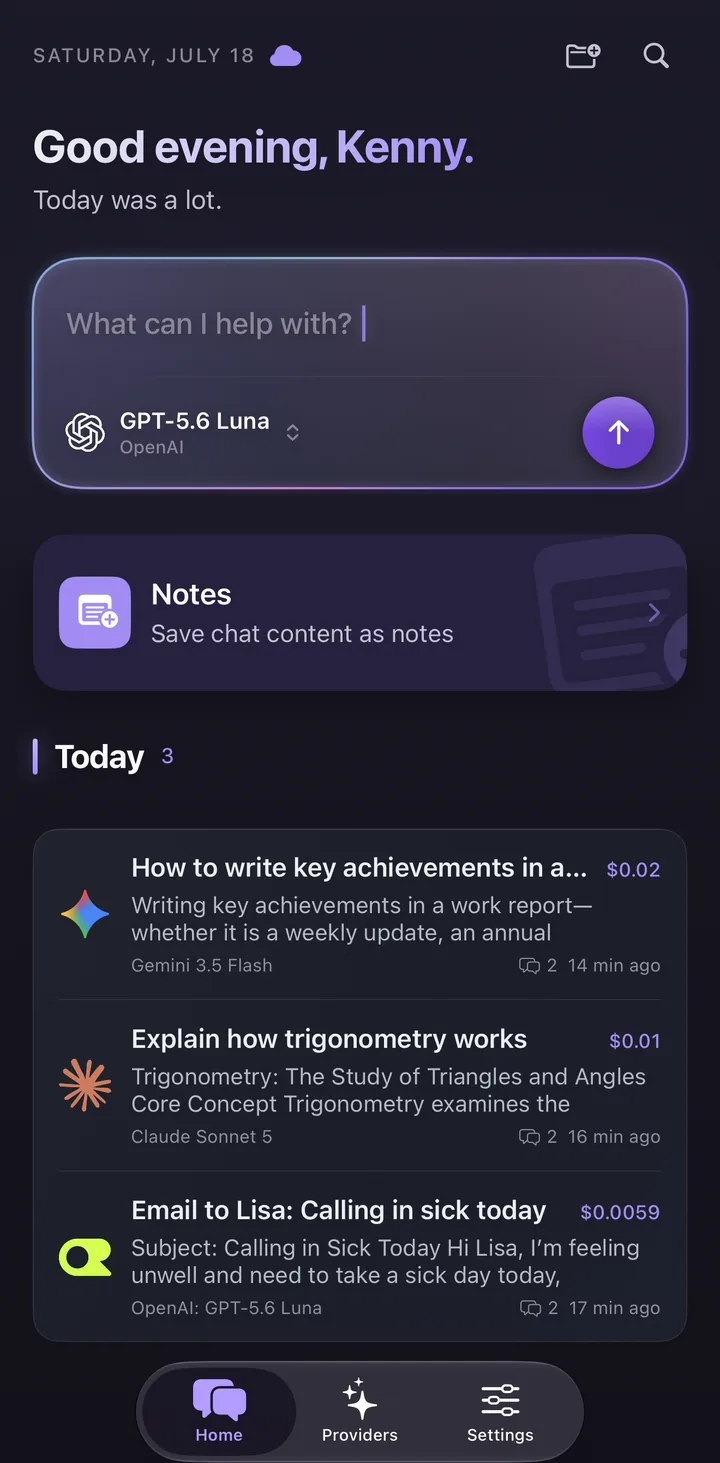
Oriveo is a bring-your-own-key client that also ships two hosted routes, so it does not force the usual choice between “bring an API key” and “just let me start chatting”. The same app, the same chat history and the same interface sit behind all three.
Oriveo Free is the no-sign-in route: a daily quota on a curated set of free-tier models routed through OpenRouter, with no account, no card and no API key. Oriveo AI is a separate paid hosted service that appears as a built-in provider and draws down a prepaid AI Balance; signed-in accounts get 3 included requests each week, and usage past that is charged at each model’s official list price rather than at a platform-specific credit rate. BYOK is the third route: connect your own keys across 15 official providers — OpenAI, Anthropic (Claude), Google Gemini, xAI Grok, DeepSeek, Mistral, Qwen, Kimi, MiniMax, Z.ai, Groq, Together AI, Fireworks AI, OpenRouter and SiliconFlow — plus any OpenAI-compatible endpoint you bring through a custom relay, and pay each provider directly with no markup added.
Every message carries an estimated cost, calculated from the provider’s published token pricing and the tokens actually used once the answer finishes. It is an estimate for steering your spending, and the provider’s own invoice is the final word.
- Best for: people who want 700+ models on a phone as well as a browser, and who would rather not decide about API keys before sending the first message.
- Platforms: web, plus native iPhone and Android apps. Interface and content are localised into 16 languages.
- Pricing (as of 24 July 2026): the app is free to use; Pro is $9.99 a month or $59.99 a year; Lifetime is $149.99 once. Paid plans add cross-device sync for chats and notes with 20 GB of storage, Usage Insights broken down by provider, budget alerts, and unlimited Skills, folders and pinned chats. They include no AI usage or model credits.
- BYOK: available on every plan, including the free one, across 15 official providers plus a custom OpenAI-compatible relay endpoint.
- What stands out: an estimated cost on every message at every tier, notes that record which model said what and which chat it came from, a Memory you write once and can read, edit, delete or switch off per chat, and reusable Skills that can each search their own knowledge base.
- What to know: model switching is sequential. Oriveo does not present two answers to the same prompt at once, and never sends one prompt to several models simultaneously. Cross-check is the sequential version — it re-runs an answer you already have through one second model you pick and shows both together for comparison — but it needs a provider connected with your own API key, and it is not available on the Oriveo Free tier.
Aymo AI — hosted workspace with BYOK on every plan
Aymo is a hosted, browser-based multi-model workspace organised around organisations and team members rather than around a single chat window. Its distinguishing detail among subscription platforms is that bringing your own API key is not reserved for the top tier: the pricing page shows BYOK on all four plans, the free one included.
The catalogue page listed 46 models when we checked, and the site describes the range as “46+”. Mobile is the gap: as of 24 July 2026 the downloads page lists desktop, iOS and Android as coming soon rather than available.
- Best for: people who want a hosted workspace in the browser but still want the option of paying providers directly.
- Platforms (as of 24 July 2026): web. Desktop, iOS and Android are listed as coming soon.
- Pricing (as of 24 July 2026): Free $0; Plus $8 a month; Premium $20 a month; Business $39 a month. Annual billing is shown as $4, $12 and $25 a month respectively, under a “Save 30%” banner.
- Free tier: 500 messages and 50 credits a month, restricted to light models, with one organisation and no team members.
- What stands out: BYOK on the free plan, which is unusual for a subscription platform.
- What to know: there is no mobile app to install yet, and the annual saving is a promotion that may not be there when you read this.
Poe — the widest catalogue, and no API key anywhere
Poe takes the opposite position to every BYOK product on this list: you do not bring keys, and the platform does not support them. You buy points, and points are spent across the bots and models Poe carries. The catalogue is described as covering the major labs plus “thousands of others”, without a single headline number we could verify.
Poe does let you compare models, and it is worth being precise about the form. Its own copy describes combining and comparing models in a single chat: several bots answer inside one thread, rather than in split panes.
- Best for: people who want breadth immediately and never want to think about provider accounts.
- Platforms: web, Windows and macOS builds, and native iOS and Android apps.
- Pricing (as of 24 July 2026): five annual tiers at $49.99, $199.99, $499.99, $999.99 and $2,499.99, listed by number rather than by name, with extra points sold at $30 per 1M points. Poe notes that prices are shown in US dollars and that a final price may vary with regional taxes and currency conversion.
- Free tier: a daily points allowance that resets every 24 hours and does not roll over. The exact allowance was not published on the pages we read.
- BYOK: not supported. This is a deliberate product position, not an omission.
- What to know: everything is denominated in points, and the relationship between points and provider tokens is defined by the platform rather than by each provider’s price list.
TypingMind — pay once, bring your own key
TypingMind sells one-time licences instead of a subscription, which is rare enough to be the main reason people choose it. You buy a licence, connect your own API keys, and the software is yours; provider usage is billed separately by each provider.
Two details are worth reading carefully before buying. First, the multi-model chat feature sits in the $99 Premium licence, so the $39 entry price is not the price of the comparison workflow. Second, TypingMind’s own documentation states that it is installed as a progressive web app and that there is no native store app for iOS or Android — the mobile experience is the web app on a phone.
- Best for: BYOK users who would rather pay once for the software than subscribe to it.
- Platforms: the web app, installable as a PWA. The docs state there is no native App Store or Google Play app.
- Pricing (as of 24 July 2026): one-time licences — Standard $39, Extended $79, Premium $99 shown against a struck-through $198, Bulk $395, and Teams on request. A free trial exists; its limits were not stated on the pages we read.
- BYOK: core to the product, on every licence.
- Sync: TypingMind Cloud includes 50 MB free, described as roughly 5,000 chats, with 1 GB and 5 GB upgrades whose prices we could not read.
- What to know: multi-model chats are a Premium-tier feature, and the Premium price was promotional on the day we checked.
Chatbox AI — free apps on every device type
Chatbox is the widest platform footprint on this list for a client you can use without paying: the apps are free across web, desktop and both mobile stores, and bringing your own key is part of the free tier rather than an upgrade. Paid plans layer a hosted compute-point service on top for people who do not want to manage keys at all.
The community edition is published under GPLv3 with 41,117 GitHub stars, alongside a separate proprietary pro build — so “open source” is accurate for part of the product rather than all of it.
- Best for: people who want a free, installable client on whichever device they happen to be holding.
- Platforms: web, Windows, macOS and Linux, plus native iOS and Android apps in both stores.
- Pricing (as of 24 July 2026): the apps are free. Paid plans are quoted per month on annual billing — Lite $3.5, Pro $16.7 and Pro+ $33.33 — sold as compute points, with annual billing advertised at 17% below monthly.
- Free tier: apps free on all platforms with BYOK included, plus a trial allowance that refreshes daily.
- What stands out: no paywall between you and a working multi-provider client.
- What to know: we found conflicting public statements about cross-device sync — the App Store listing mentions cross-device sync while the site’s own machine-readable index and FAQ emphasise data staying on the device — and no public page confirmed whether it offers a split-pane comparison view. Both stay open questions here.
Cherry Studio — the free open-source workstation
Cherry Studio is a free, AGPL-3.0 licensed desktop client with 48.9k GitHub stars, and it is the most feature-dense product here that costs nothing. The site states support for 300+ models, and split-pane comparison is part of the product rather than a paid add-on.
The trade-off is reach. There is no browser version and nothing to install on a phone, and there is no account-based automatic sync: moving history between machines means WebDAV or local backup files. For a workstation-bound workflow that is often fine. For a workflow that starts on a laptop and continues on a train, it is the whole problem. The English site lives at cherry-ai.com.
- Best for: desktop-bound power users who want everything free and are comfortable configuring their own backup.
- Platforms: Windows, macOS and Linux. No browser version, and nothing published in either mobile store.
- Pricing (as of 24 July 2026): the client is free. Enterprise pricing is available on request and is not published.
- BYOK: the core mode of the product.
- What stands out: AGPL-3.0 licensing, a stated 300+ models, and comparison built in at no cost.
- What to know: no account-based automatic sync, and no mobile story at all.
LobeHub — hosted platform that also ships mobile apps
LobeHub is the most complete package among the hosted platforms here. Its free plan already includes bringing your own API key and Global Cloud Sync, and it publishes an iOS app — first released on 22 March 2026, at version 1.0.13 with 13 ratings when we looked — alongside an Android app. LobeHub does not publish the source for its mobile clients, so we make no claim about how they are built. Desktop builds cover Windows, macOS and Linux, and there is a full web app.
The licence needs a careful description. The project is source-available under the LobeHub Community License, described as Apache-2.0 with additional conditions, and GitHub reports the repository licence field as NOASSERTION against 80,748 stars. Calling it plain Apache-2.0 or MIT would be wrong.
- Best for: people who want a hosted platform with real mobile apps and no paywall in front of BYOK.
- Platforms: web, Windows, macOS and Linux, plus native iOS and Android apps.
- Pricing (as of 24 July 2026): Free $0; Starter $12.9 a month or $118.8 a year; Premium $24.9 a month or $238.8 a year; Ultimate $49.9 a month or $478.8 a year.
- Free tier: 500,000 credits a month, with BYOK and Global Cloud Sync included on that plan.
- What stands out: BYOK and cloud sync on the free plan, which very few hosted platforms do.
- What to know: the pricing page marks Claude Sonnet 5, GPT-5.6 Sol and GPT-5.5 as not supported on the free plan, so the free credits do not reach the top of the catalogue. The mobile apps are also new, and review volume was still in single figures when we checked.
Monica — one assistant across browser, desktop and phone
Monica is a hosted assistant rather than a developer tool: a browser extension and app family that follows you across sites, documents and devices, with a model picker inside it. Its free plan is one of the more concrete on this list — 40 accesses to basic models each day, on up to three signed-in devices.
Its pricing page is the one most likely to be misread. Every plan is presented as an annual subscription expressed as a monthly-equivalent figure, and no true monthly price appears anywhere on the page. The honest way to quote it is by the annual amount, with the monthly figure noted as a presentation choice.
- Best for: people who want one assistant everywhere they already work, rather than a dedicated chat client.
- Platforms: web, Windows and macOS builds, a native iOS app, and an Android download link on the site.
- Pricing (as of 24 July 2026): Free $0; Pro US$99/year (displayed as US$8.3/month); Max US$199/year, shown against a former US$299; Ultra US$995/year.
- Free tier: 40 accesses to basic models daily, with a three-device sign-in limit. Device limits rise to five, five and ten across the paid plans.
- BYOK: not documented publicly. Monica’s pricing and help pages do not describe it either way, and “not documented” is as far as public sources go.
- What to know: model comparison on the free plan is limited to basic models, and the Max tier was showing a promotional price when we checked.
Msty — split chats on the desktop
Msty’s headline capability is Split Chats, described in its own words as running multiple models side by side, and that is the reason to pick it. It is a desktop-first product: Windows, macOS and Linux builds, with browser access included in the Aurum plan rather than offered separately, and nothing in either mobile store.
Its pricing needs one clarification, because the three paid tiers mix two different commercial models. Aurum is an annual subscription, Aurum Lifetime is a one-time purchase, and Teams is priced per seat per year with a minimum of five seats. Quoting it as a single range would be misleading.
- Best for: desktop users whose main workflow is comparing two or more models on the same question.
- Platforms: Windows, macOS and Linux, with web access included in Aurum. Nothing published in either mobile store.
- Pricing (as of 24 July 2026): a free plan; Aurum $149 per user per year; Aurum Lifetime $349 as a one-time purchase; Teams $300 per user per year with a five-seat minimum.
- BYOK: supported, with Azure and Bedrock connections reserved for Aurum.
- What stands out: Split Chats is a first-class feature rather than an experiment bolted on.
- What to know: the free desktop plan is described as limited, and public pages did not say whether Split Chats is part of it.
OpenRouter — infrastructure that other tools sit on
OpenRouter belongs in a category of its own. It is a unified API across many labs with no subscription: you top up a credit balance and spend it on whichever model you call, from your own code or from any client that supports it. Several clients on this list, Oriveo included, connect to it as one provider among others.
It is not headless, though. The site’s own chat playground runs in the browser and can compare models side by side, so for plenty of people the playground is interface enough. The model count is worth treating carefully: the front page says 400+ models across 70+ providers, while its public models endpoint returned 343 entries when we queried it on 24 July 2026.
- Best for: developers, and anyone who wants one key and one balance covering many labs at once.
- Platforms: web, including a browser playground. No desktop builds and nothing in either mobile store.
- Pricing (as of 24 July 2026): no subscription. Credit top-ups carry a 5.5% fee with a $0.80 minimum on card payments, or 5% on crypto.
- BYOK: you can route through your own provider keys. The first 1,000,000 such requests each month are free, and beyond that OpenRouter deducts 5% of what the request would normally have cost.
- Free tier: models tagged as free are available; the quota rules were not published on the pages we read.
- What to know: it is a routing layer, so the client experience you get depends on whichever app you point at it.
At a glance
One table, ten products, read on 24 July 2026. Entry price means the cheapest paid tier, which is not always the tier that has the feature you came for — TypingMind is the clearest example, since multi-model chats live in its $99 licence rather than its $39 one.
| Product | Best for | Platforms | BYOK | Entry price (24 Jul 2026) | Free tier |
|---|---|---|---|---|---|
| Oriveo | Mobile-first multi-model chat with three ways in | Web, iPhone, Android | Every plan | App free; Pro $9.99/mo | Daily quota, no sign-in required |
| Aymo AI | Hosted workspace, keys allowed | Web (desktop and mobile listed as coming soon) | All four tiers | Plus $8/mo | 500 messages + 50 credits a month |
| Poe | Breadth with no key to manage | Web, Win/macOS, iOS, Android | Not supported | $49.99/yr entry tier | Daily points, reset every 24 hours |
| TypingMind | One-time licence for BYOK | Web app, installable as a PWA | All licences | $39 once | Trial offered, limits not published |
| Chatbox AI | Free client on every device type | Web, Win/macOS/Linux, iOS, Android | Included at no cost | Lite $3.5/mo billed yearly | Apps free, plus a daily allowance |
| Cherry Studio | Free open-source workstation | Windows, macOS, Linux | Core mode | No paid consumer tier | Whole client, free |
| LobeHub | Hosted platform with mobile apps | Web, Win/macOS/Linux, iOS, Android | From the free plan up | Starter $12.9/mo | 500,000 credits a month |
| Monica | One assistant across everything | Web, Win/macOS, iOS, Android download | Not documented publicly | Pro US$99/yr | 40 basic-model accesses a day |
| Msty | Split chats on the desktop | Windows, macOS, Linux; web on Aurum | Supported | Aurum $149/yr | Limited desktop plan |
| OpenRouter | One key and balance for many labs | Web only, including a playground | Own keys routed, 5% after 1M requests | No subscription; top-up fees apply | Models tagged free |
How to choose, by what you already have
The shortlist collapses fast once you answer one question: do you already have API keys, or do you not want to think about them? Almost every other difference follows from that.
If you do have keys, the software question is what remains — how you want to pay for it, and on which devices it has to run. If you do not, you are choosing a billing relationship as much as a product, and the thing to look at is how the platform’s credits translate into the providers’ own prices.
- You already have API keys: Chatbox AI, Cherry Studio, TypingMind, Msty and Oriveo all run on your own keys, and Aymo AI and LobeHub allow them on their free plans too. Pick on platform coverage and on whether you would rather subscribe, pay once, or pay nothing for the software.
- You do not want to manage keys: Poe, Monica, Aymo AI and LobeHub sell hosted access outright. Oriveo covers the same need through Oriveo AI, a paid hosted provider drawing on a prepaid balance at each model’s official list price, and through a no-sign-in tier for trying the workflow first.
- You need it on a phone: Poe, Monica, Chatbox AI, LobeHub and Oriveo all publish apps in the stores. TypingMind is a PWA by its own documentation, Aymo lists mobile as coming soon, and Cherry Studio, Msty and OpenRouter had no mobile apps as of 24 July 2026.
- You are buying for a team: Aymo AI’s Business plan, TypingMind’s Teams licence and Msty’s Teams plan are the explicit team tiers here. Msty’s Teams plan carries a five-seat minimum, which sets the real entry cost.
- You want two models to check each other: Msty, Cherry Studio, LobeHub, Monica, Aymo AI and OpenRouter’s playground all offer a split view, and TypingMind offers it in the $99 Premium licence. Poe answers with several bots inside one thread. Oriveo works sequentially instead, so if a split view is the point of the exercise, it is not the right pick.
- You care what it costs as you go: this is the thinnest area across the whole list, and worth a section of its own below.
What we could not verify
A comparison is only as trustworthy as its gaps, so here are ours. Every item below was looked for on public pages on 24 July 2026 and not found. None of them should be read as a criticism of the product — an undocumented capability is undocumented, not missing.
If you depend on any of these, ask the vendor directly before paying. That is a faster route to a correct answer than any comparison article, including this one.
- Poe’s exact daily free points allowance, and its monthly subscription prices in US dollars.
- TypingMind’s free trial limits, its Teams pricing, and the prices of the 1 GB and 5 GB cloud upgrades.
- Whether Chatbox AI provides account-based automatic sync, and whether it offers a split-pane comparison view.
- Whether Monica supports bringing your own API key, and what a true monthly Monica subscription costs.
- Whether Msty’s Split Chats is available on its free plan.
- In-app purchase prices in the App Store and Google Play for every product here.
- Official model counts for TypingMind, LobeHub, Monica and Msty, none of which publish one.
Frequently Asked Questions
What is the best multi-model AI platform?
Which multi-model AI platforms let me use my own API keys?
Which multi-model AI platforms have native mobile apps?
Is a multi-model platform cheaper than paying for several AI subscriptions?
Can these platforms answer the same question with two models at once?
How current are the prices in this comparison?
Related reads
See where Oriveo lands on your own shortlist
Open Oriveo in the browser or install the iPhone or Android app to reach 700+ models from 15 official providers — with your own keys at list price, a hosted balance, or the no-sign-in free tier.