
How to Get a DeepSeek API Key, and Is It Free?
Get a DeepSeek API key step by step, learn how top-ups work, fix 402 Insufficient Balance, and use DeepSeek on iPhone, Android or the web with no code.
- To get a DeepSeek API key, sign in to the DeepSeek Platform, open the API keys page (platform.deepseek.com/api_keys), create a key and copy it; DeepSeek’s guides describe keys that start with "sk-". The key is free to create, but using it is paid per token from a balance you top up in advance.
- An API key lets an app use DeepSeek’s models on your account. With a chat app that accepts your own key, such as Oriveo, you can use it on iPhone, Android or the web without writing code.
- The most common problem is error 402 Insufficient Balance: your balance has run out. Top up on the DeepSeek Platform and try again; waiting won’t fix it.
What is a DeepSeek API key?
An API key is a long secret code that identifies you to a service. API stands for application programming interface: the way one program asks another for something. An app sends your key with every request, so DeepSeek knows whose account to charge.
You don’t need to be a programmer to use one. Developers put the key in their code; you can paste it into a chat app instead, and the app handles the technical part.
Treat the key like a password that can spend money. Anyone who has it can use up your DeepSeek balance.
How do I get a DeepSeek API key?
It takes a few minutes. You create the key on the DeepSeek Platform, the developer site, not inside the DeepSeek chat app.
- Go to platform.deepseek.com and sign in, or create an account.
- Open the API keys page at platform.deepseek.com/api_keys.
- Create a new API key and give it a name you’ll recognise, such as "Oriveo on my phone".
- Copy the key straight away and keep it somewhere safe, such as a password manager. DeepSeek’s guides describe keys that start with "sk-".
- Top up your balance (see below). Without one, messages fail with error 402 Insufficient Balance.
Is the DeepSeek API free?
Creating a key costs nothing; using it is paid. DeepSeek charges per token. A token is a small piece of text, roughly a short word or part of a longer one, and both your message and the reply are counted.
DeepSeek’s pricing page says charges come out of your topped-up balance or a "granted balance", and that the granted balance is used first. As of 18 November 2026, the page doesn’t say how much granted balance anyone gets, who qualifies or when it expires, so don’t count on it. Your balance on the DeepSeek Platform shows what you actually have.
Prices are set per million tokens and differ by model. They change, so we don’t copy them here: see DeepSeek’s official pricing page at api-docs.deepseek.com/quick_start/pricing. As of 18 November 2026, that page lists off-peak prices at half the peak price, with peak hours on weekdays (Monday to Friday) from 01:00 to 04:00 and from 06:00 to 10:00 UTC.
Oriveo shows an estimated cost on every reply, worked out from DeepSeek’s published prices, so you can see what you spend as you go. DeepSeek’s own usage records are the final amount.
How do I top up my DeepSeek balance?
Sign in to the DeepSeek Platform and open the Top up page. DeepSeek’s error-code page sends you to the same place when the balance runs out. The Top up page shows the current amounts and payment methods; check there rather than relying on figures from other websites.
While you learn how much you use, top up a small amount. You can see each reply’s estimated cost in Oriveo and compare it with your DeepSeek balance after a few days.
DeepSeek API vs the DeepSeek app: what’s the difference?
The DeepSeek app is DeepSeek’s own ready-made chat product. The DeepSeek API is a service for apps and developers: you get a key, top up a balance, and any app that supports DeepSeek can send requests on your account.
They are separate. DeepSeek’s API documentation doesn’t describe any link between the app and the API, so don’t assume that one pays for or unlocks the other. Your API balance lives on the DeepSeek Platform.
Why use the API? It lets you use DeepSeek inside an app of your choice, next to models from other providers, with a cost estimate on every reply.
| DeepSeek app | DeepSeek API with your own key | |
|---|---|---|
| What it is | DeepSeek’s own chat app | Access for apps and developers, using your key |
| Where you manage it | In the app | On the DeepSeek Platform (platform.deepseek.com) |
| How you pay | See DeepSeek’s official pages | Per token, from a balance you top up |
| Where you can use it | DeepSeek’s app | Any app that accepts a DeepSeek key, such as Oriveo |
How do I use a DeepSeek API key on iPhone, Android or the web?
You need an app that accepts your own DeepSeek key. In Oriveo, DeepSeek is one of 15 built-in providers, so there is no address to type: you choose DeepSeek and paste the key. The steps are the same on all three.
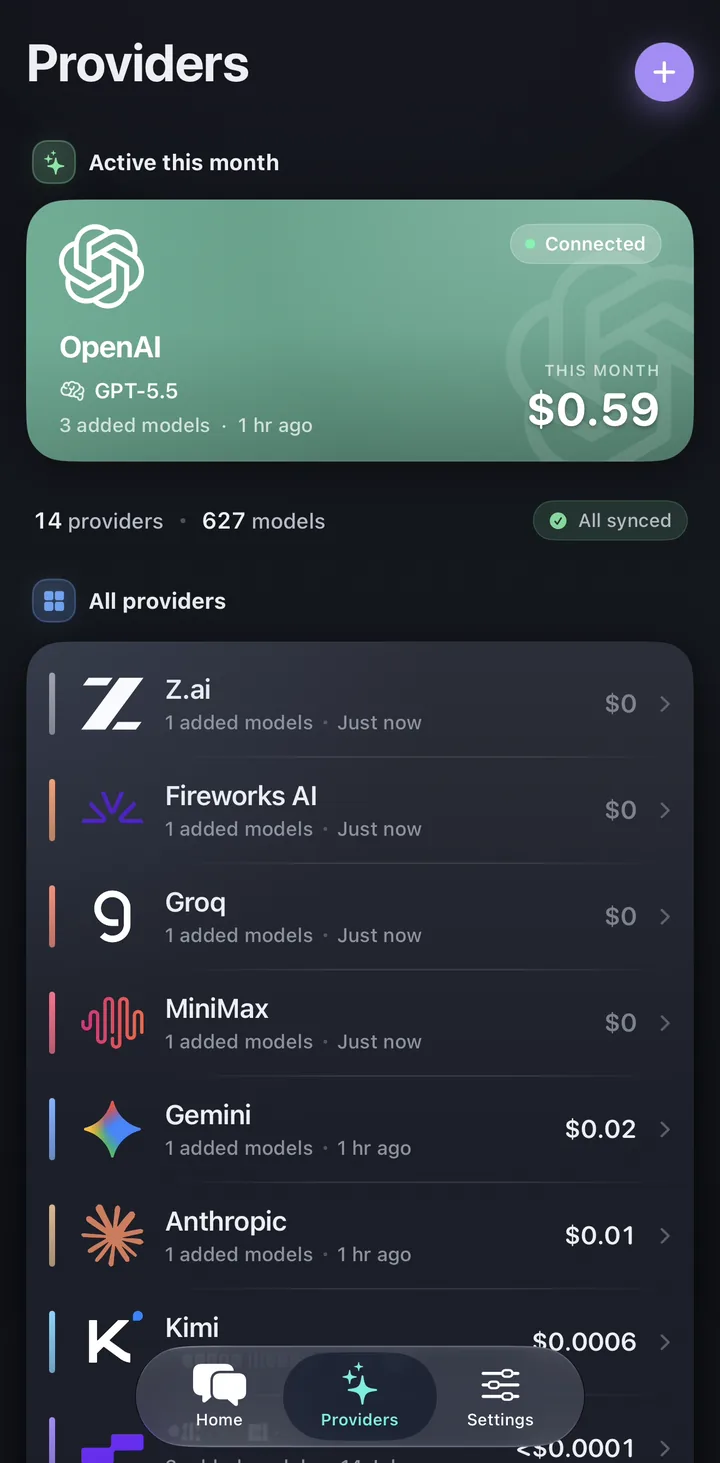
- Open Providers: a tab on iPhone and Android, or the sidebar on the web.
- Tap the + button (Add Provider).
- On "Connect a Provider", choose DeepSeek. The All, Direct, Aggregators and Custom chips filter the list.
- Paste your key under "Connect DeepSeek" and tap Continue. On the web, pasting the key starts the check by itself.
- Wait for "Validating connection and syncing models...", then pick a DeepSeek model and start chatting.
What happens to my key and my messages?
If DeepSeek rejects the key, Oriveo still saves it and shows "Saved, but the key looks invalid. You can verify it later in provider settings." Copy the key again from the DeepSeek Platform and update it there.
On iPhone and Android, requests go straight from your device to the provider, and your key is kept in the phone’s secure storage (Keychain on iPhone, Keystore on Android). In the web app, requests go through a real-time pass-through on Oriveo’s server: your key is used only for that request and isn’t saved as an account record, and BYOK chats aren’t stored as chat logs. Keys aren’t uploaded by cloud sync. So on a new phone, paste your key again, or create a separate key for each device.
You pay DeepSeek directly at its list prices. Oriveo adds no markup.
Why is my DeepSeek API key not working?
DeepSeek’s error-code page (api-docs.deepseek.com/quick_start/error_codes) explains each error. These are the ones people run into most, as of 18 November 2026:
- In Oriveo, a 402 appears as "Provider Quota Reached".
- Create a separate key for each app or device, so you can delete one without breaking the others.
- If a key has been pasted into a chat, email or public page, delete it on the API keys page and create a new one.
- Don’t give your DeepSeek key to third-party resellers or relay services.
| Error | What it means | What to do |
|---|---|---|
| 401 Authentication Fails | The key is wrong | Copy the key again with no extra spaces, or create a new one |
| 402 Insufficient Balance | Your balance has run out | Top up on the DeepSeek Platform, then send again |
| 429 Rate Limit Reached | Too many requests too quickly | Wait a moment and send again |
| 503 Server Overloaded | DeepSeek is very busy | Try again a little later |
| 500 Server Error or 504 Gateway Timeout | A problem on DeepSeek’s side | Retry later; contact DeepSeek if it keeps happening |
Common app questions
Is the DeepSeek API key free or paid?
Where do I find my DeepSeek API key?
What does DeepSeek error 402 Insufficient Balance mean?
Can I use the DeepSeek API on my phone?
How much does the DeepSeek API cost?
Is the DeepSeek API the same as the DeepSeek app?
Do I need a Base URL for DeepSeek?
Related reads
From the blog
Use your DeepSeek key on your phone
Open the web app or download Oriveo for iPhone or Android, paste your DeepSeek key, and see an estimated cost on every reply. No key yet? Oriveo Free lets you start without one.
No API key yet? Oriveo Free lets you start without one.