
OpenRouter Client for Web, iPhone, and Android
Use OpenRouter in one BYOK AI client across web, iPhone, and Android. Switch between GPT, Claude, Gemini, DeepSeek, and more, with chats stored on your device by default and real-time estimated cost tracking.
- Use one OpenRouter key across web, iPhone, and Android.
- Track conversation costs instead of guessing from provider dashboards.
- Keep your chat history on your device by default, with optional cross-device sync when you want it.
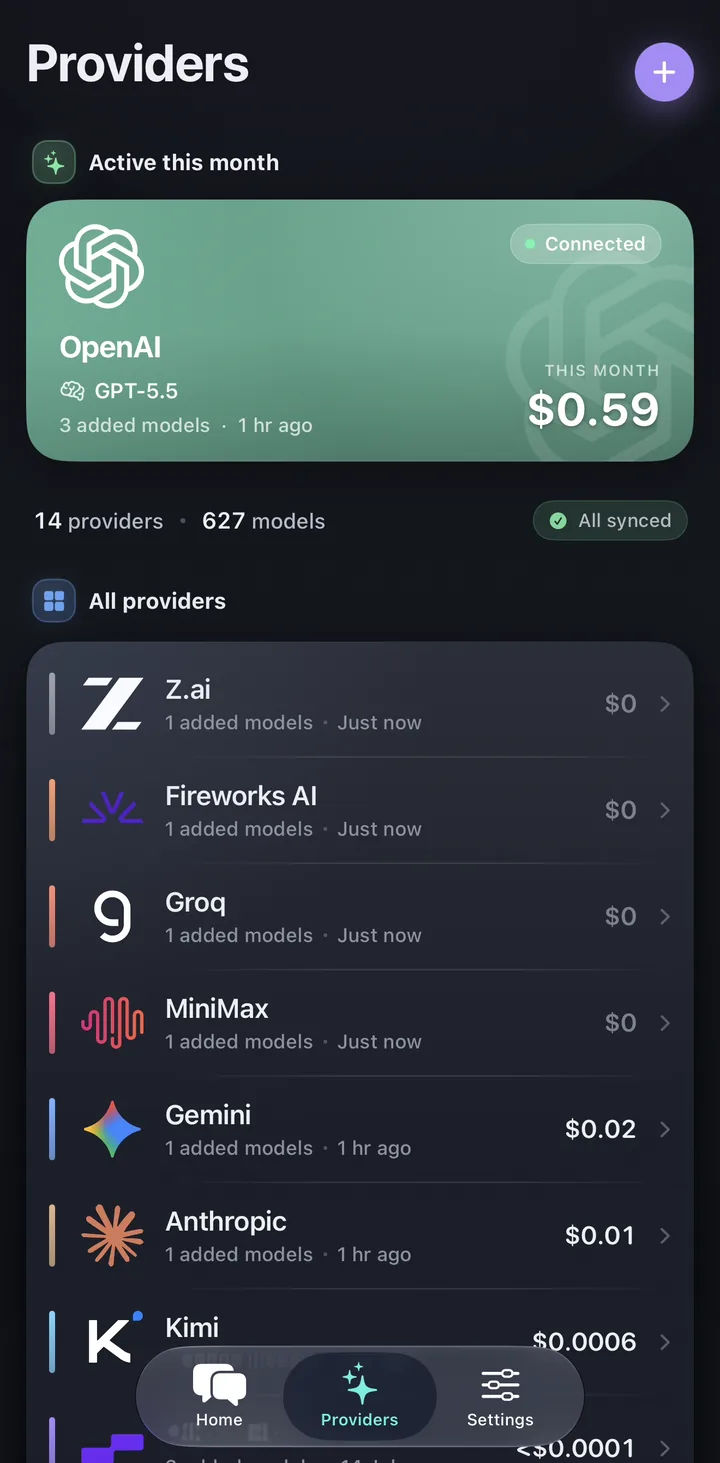
What people want from an OpenRouter client
Most people searching for an OpenRouter client want one place to use many models without juggling separate apps or browser tabs. They want OpenRouter because it unlocks choice, but they still need a serious interface for daily work.
Oriveo is built for that workflow: one chat app for OpenRouter, direct provider keys, and a real cross-device experience instead of a single-device workaround.
Set up OpenRouter in Oriveo
The setup uses your own OpenRouter account and key. Oriveo stores the key locally and uses it only for the provider requests you make.
- Create an API key in the OpenRouter dashboard.
- Open Providers in Oriveo and choose OpenRouter.
- Paste the key and let Oriveo validate the connection.
- Sync the current OpenRouter model catalog, then select a model for your first chat.
- Review the estimated message cost in Oriveo and use the OpenRouter activity page as the billing source of truth.
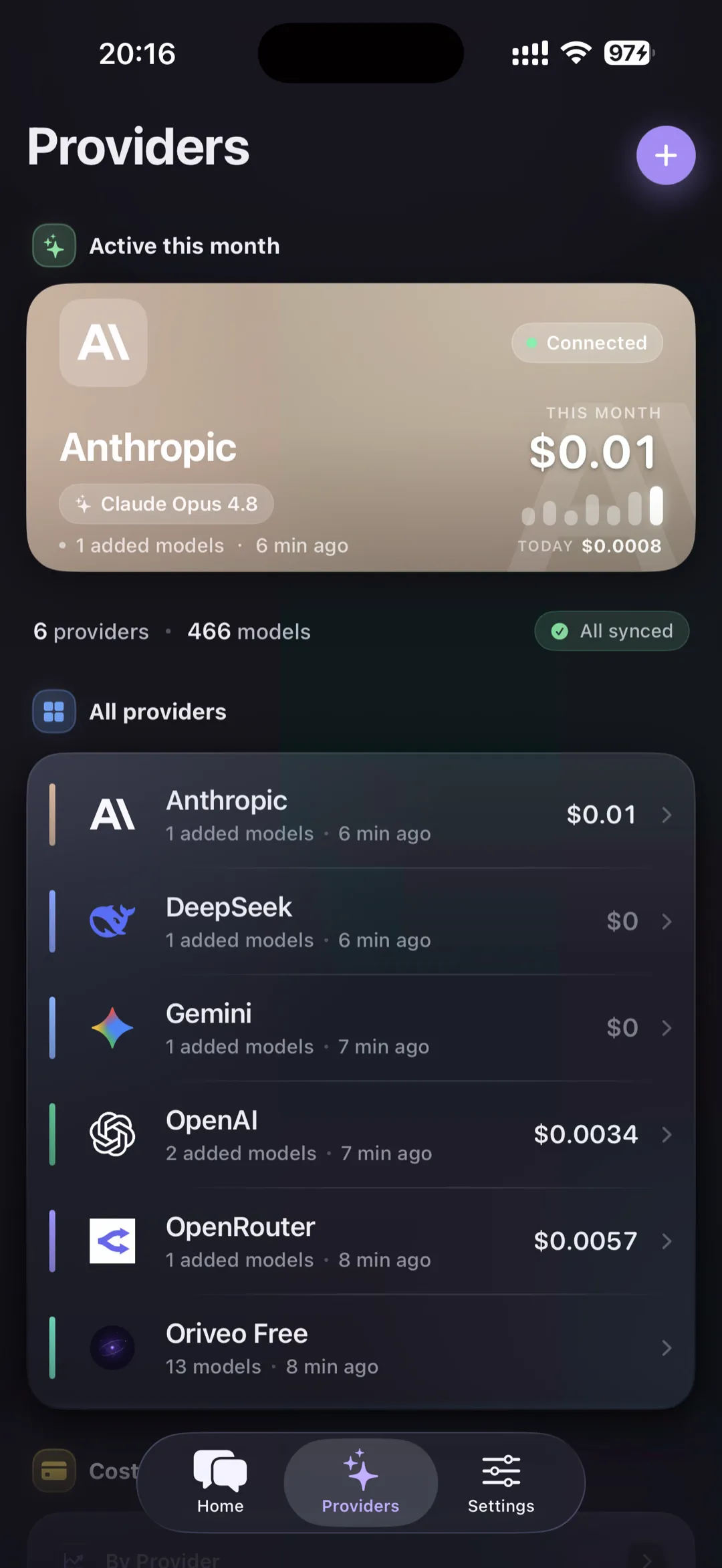
Why Oriveo works well with OpenRouter
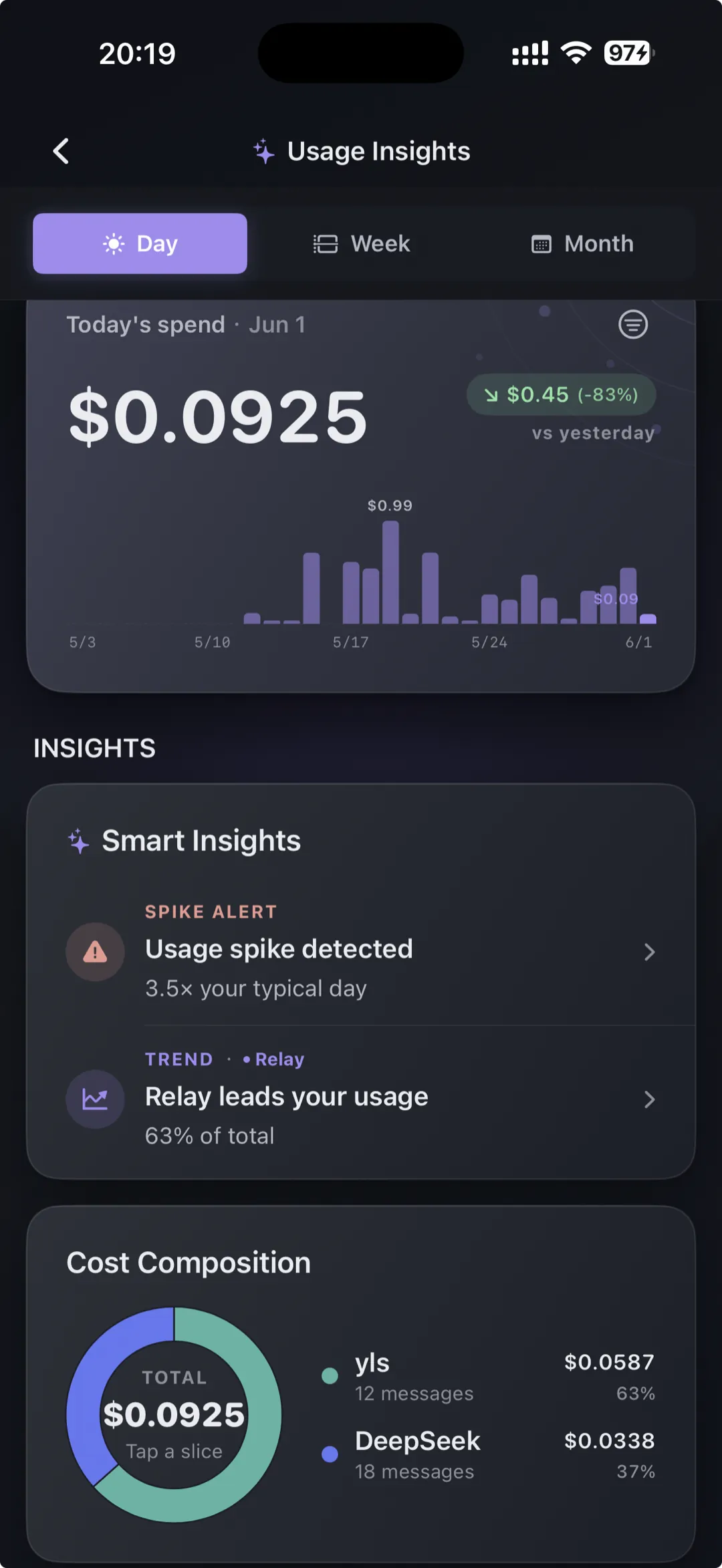
OpenRouter gives you model breadth. Oriveo gives you the product layer on top: conversation history stored on your device by default, message-level cost visibility, and a consistent chat experience across devices.
- Use OpenRouter when you want broad model coverage from one key.
- Mix OpenRouter with direct OpenAI, Anthropic, or Gemini keys when you want more control.
- Keep your costs visible while comparing models for coding, research, and everyday chat.
Troubleshoot OpenRouter setup
Test the connection before moving a production workflow. A failed request is usually a key, credit, model-availability, or account-policy issue rather than a chat-history problem.
- 401 or invalid-key response: create a new OpenRouter key, paste it without surrounding spaces, validate it, and revoke the old key if it may have been exposed.
- 402 or insufficient-credit response: check the OpenRouter account balance and any spending limit configured for the key.
- A model is missing: sync the model catalog again and confirm that OpenRouter currently exposes that model to your account and region.
- A request works in one client but not another: compare the exact model ID and review the OpenRouter activity log for the provider response.
Verify cost after the first request
Oriveo shows an estimate from current model metadata while a response streams. OpenRouter’s activity and billing records remain the final source of truth because routing, cache discounts, non-token charges, or pricing changes can affect the settled amount.
When to use OpenRouter vs direct provider keys
OpenRouter is excellent when speed of setup and model variety matter most. Direct provider keys are often better when you need a specific billing path, provider-native features, or a more opinionated setup.
| Need | Best fit |
|---|---|
| Quick access to many models from one key | OpenRouter inside Oriveo |
| Provider-native billing and direct control | Official provider keys inside Oriveo |
| Switch between multiple model families in one workflow | Fast model switching in one place in Oriveo |
Common app questions
Can I use OpenRouter and official provider keys together?
Does Oriveo show OpenRouter conversation costs?
Is Oriveo only for OpenRouter?
Related reads
From the blog
Use OpenRouter in a real multi-device workflow
Open the web app or download Oriveo to manage OpenRouter, OpenAI, Claude, Gemini, and more in one place.
No API key yet? Oriveo Free lets you start without one.